Translations
Section for displaying data in various languages in the Platon Platform
Translations
The Translations section in the Platon platform is used to display web page data in 4 different languages (Uzbek in Cyrillic alphabet, Russian, Uzbek in Latin alphabet, and English).
To open the Translations functionality, navigate to the Translations section in the Platon platform's navigation panel.
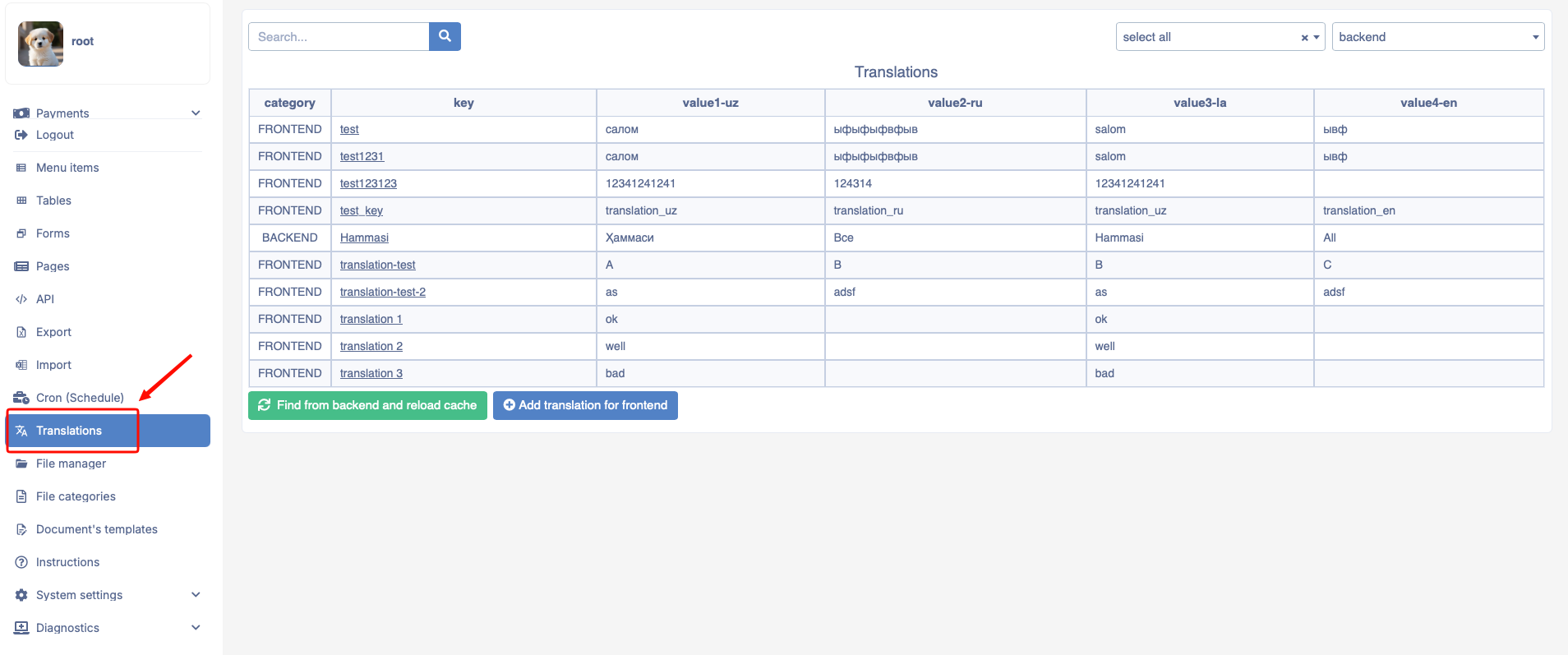
The Translations module consists of the following buttons:
- Add translation for frontend - this button is used to add a new translation. When the button is pressed, the following window opens:
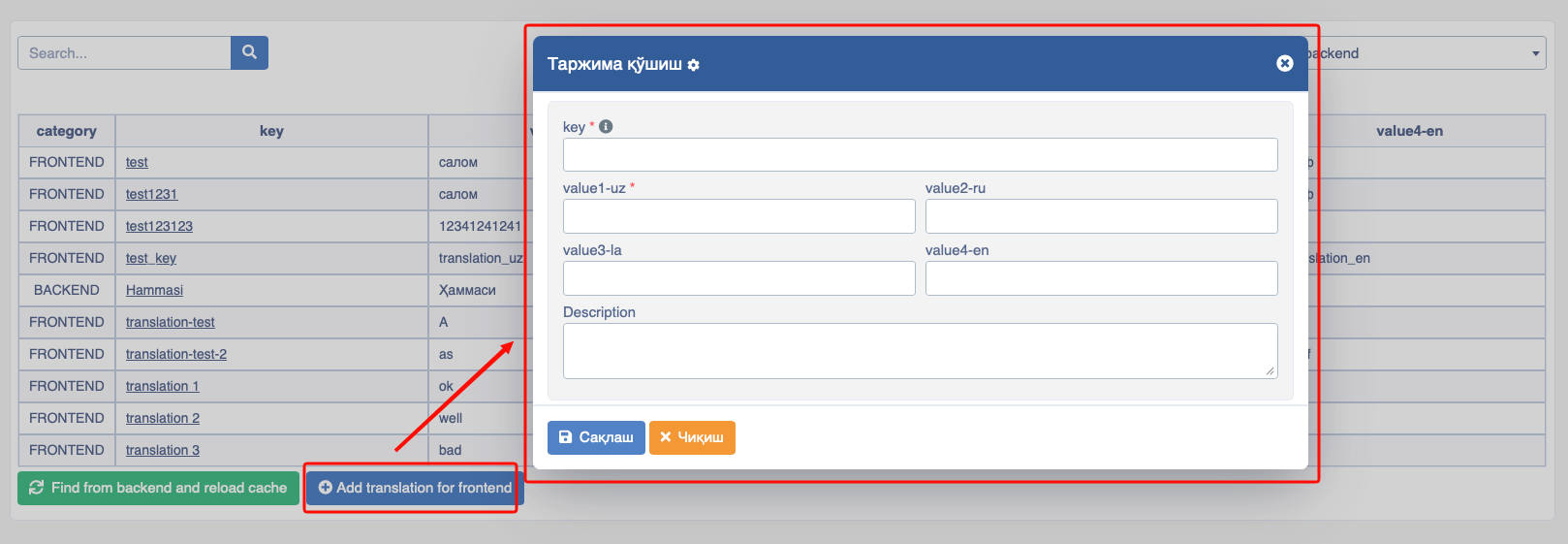
The opened window consists of the following fields:
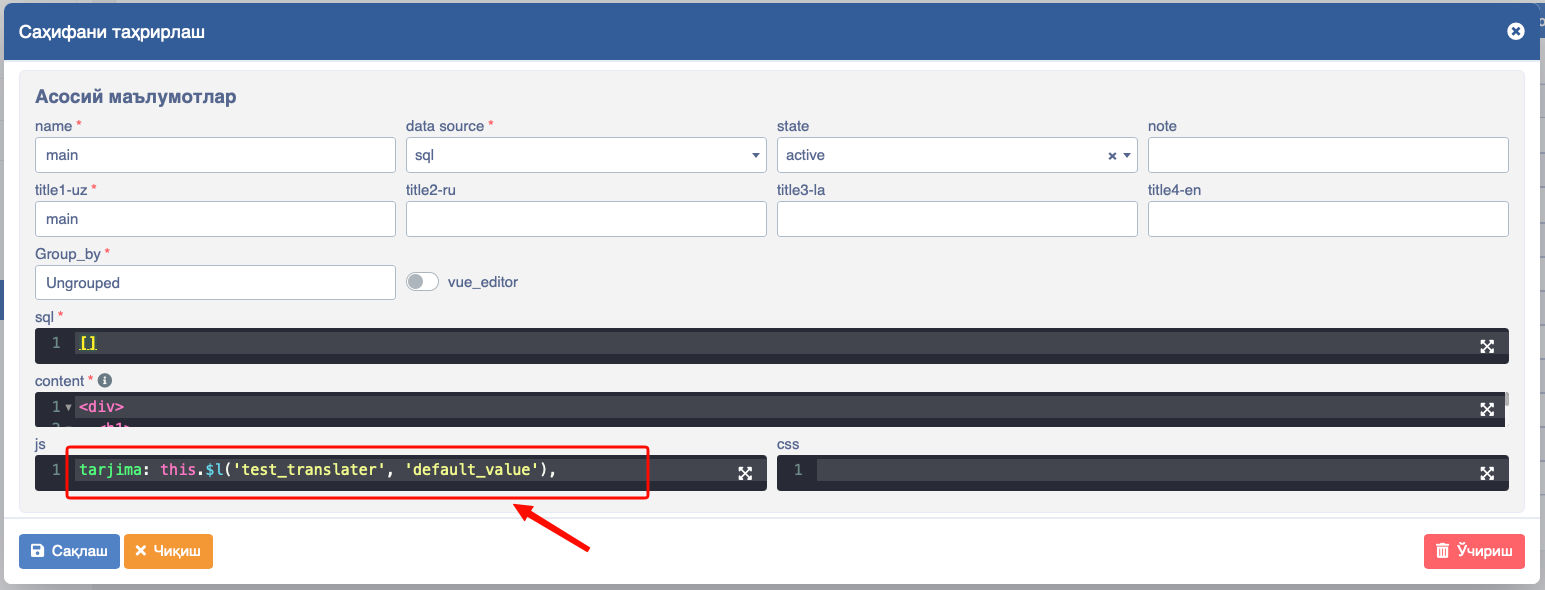
- key - the name of the translation being created; this name is also used for writing code in the
jsfield of the page being translated:
value1-uz - used to write the page data in Uzbek Cyrillic alphabet;
value2-ru - used to write the page data in Russian;
value3-la - used to write the page data in Uzbek Latin alphabet;
value4-en - used to write the page data in English;
description - used to write a description or note for the translation;
Find Backend and refresh cache - by pressing this button, the "backend" system automatically refreshes the cache.