API
Section for the collection of APIs published to connect the Platon Platform with external resources
API
The abbreviation API stands for "Application Programming Interface". Many companies provide APIs as a finished product. For example, Weather Underground sells an API to retrieve meteorological data. Let's look at the following link as an example of an API request:
http.get("https://e-auksion.uz/api/front/lots")

{
    "totalPages": 193,
    "totalRows": 1927,
    "currentPage": 1,
    "gaming_lots_cnt": 0,
    "rows": [
    {
        "id": 2070118,
        "lot_number": "2070118",
        "name": "Unfinished school building",
        "full_address": "Tashkent region, Yangiyul district, Shuralisoy KFY, Khojaobod MFY",
        "confiscant_categories_name": "Buildings with unfinished construction",
        "category_id": 4,
        "start_price": 1.80503E9,
        "zaklad_summa": 9.02515E7,
        "auction_date_str": "20.06.2022 10:00",
        "order_end_time_str": "20.06.2022 09:00",
        "zaklad_percent": 5.0,
    }]
}
Parameters to be followed when entering APIs
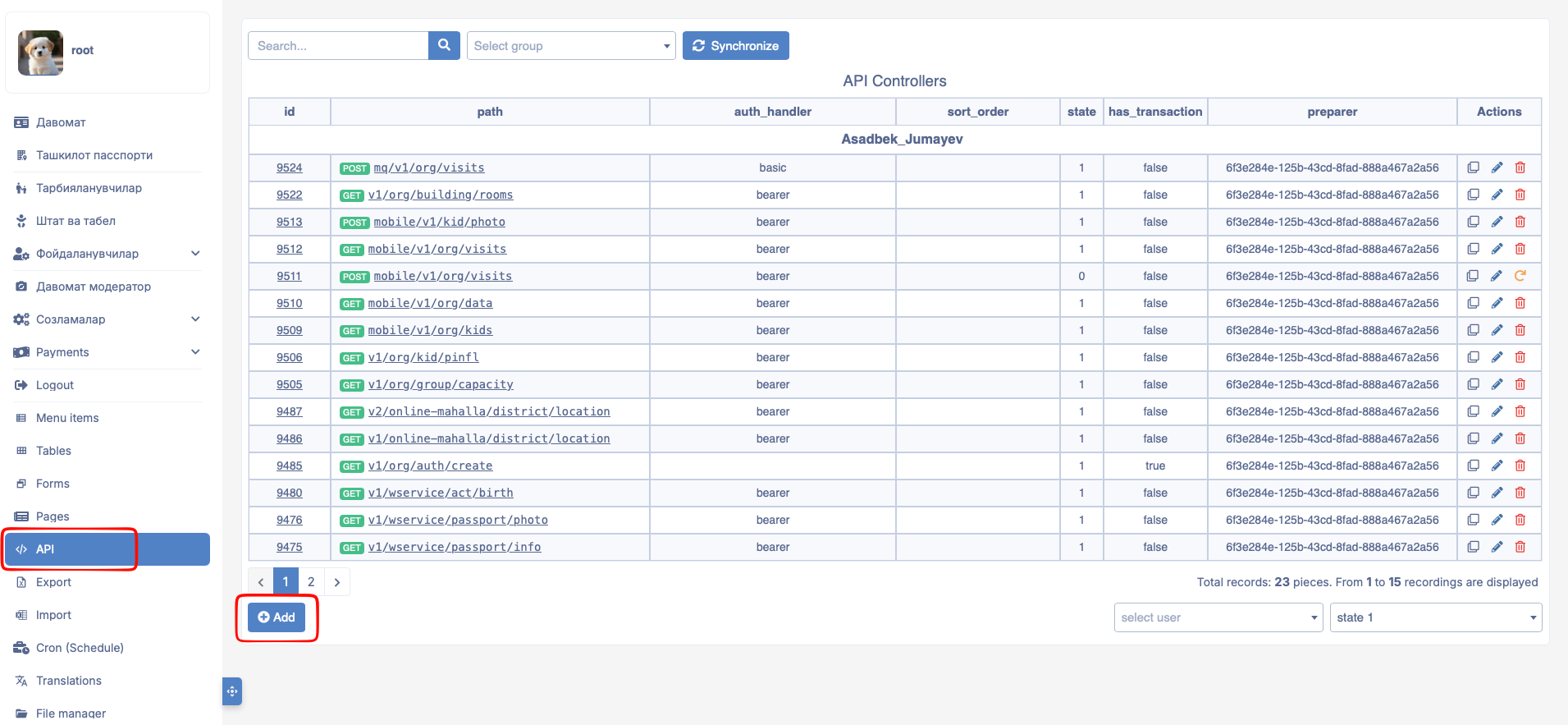
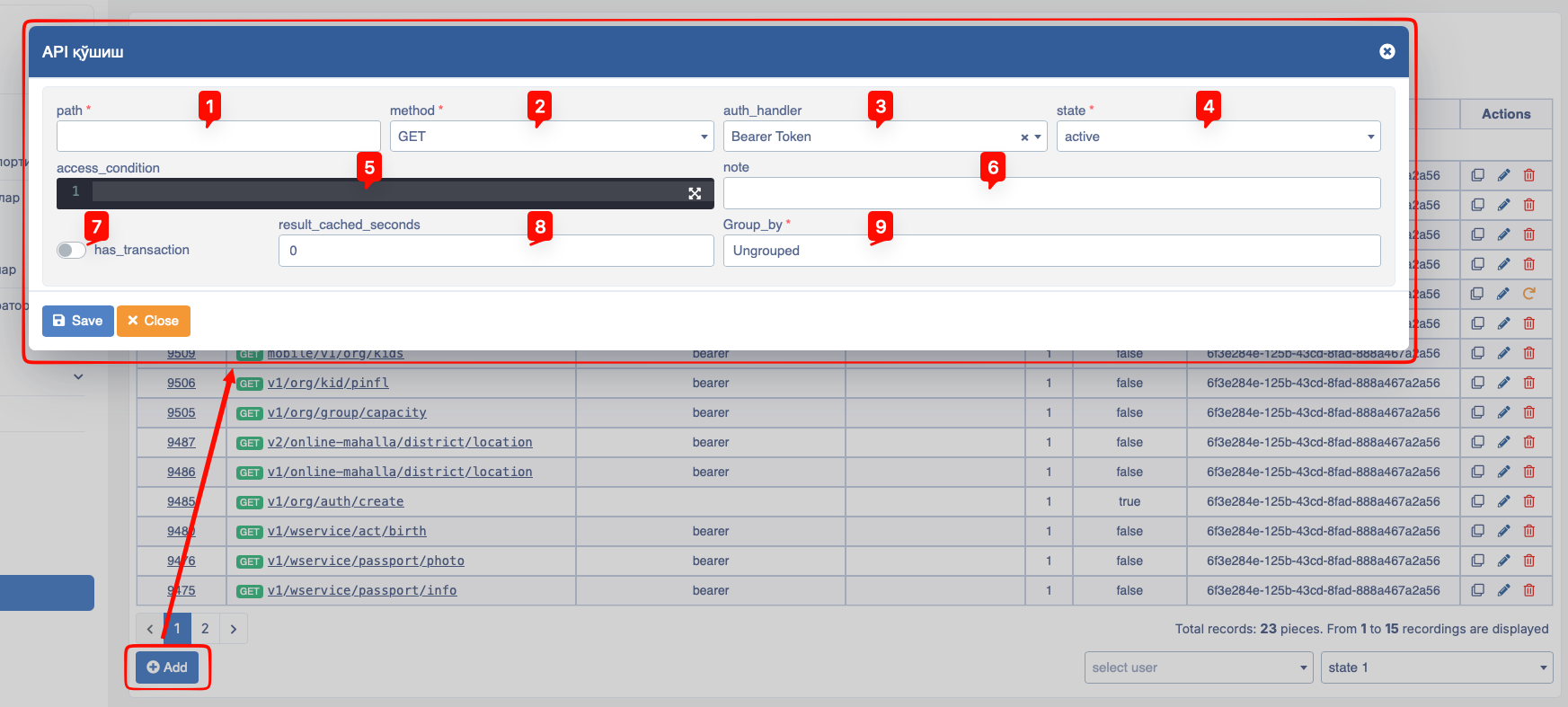
The following fields must be filled in when adding an API:
- path - Enter the name of the API being created in this field. Usually, the API name is written in the format
v1/yatt/bank, but this is optional. - method - Designed to enter methods such as receive, transmit, etc., based on the intended purpose of the API creation (these include
GET,POST,PUT,PATCH,DELETE). - auth_handler - A field designed for API authorization, covering two types of parameters. These are
Bearer Token(created based on JWT token) andBasic Auth(identifies the user data making the request to the API). - state - Designed to control the status of APIs added and attached to projects. Includes parameters such as
active,hidden, andarchived. - access_condition - Decides who is allowed to access the API.
- note - Designed for entering a short comment regarding the API.
- has_transaction - Designed to check multiple parameters envisaged in the API and revert (rollback) them if an error occurs.
- result_cached_seconds - Designed to indicate how many seconds the data returned by the API should be cached.
- group_by - Designed for grouping APIs.
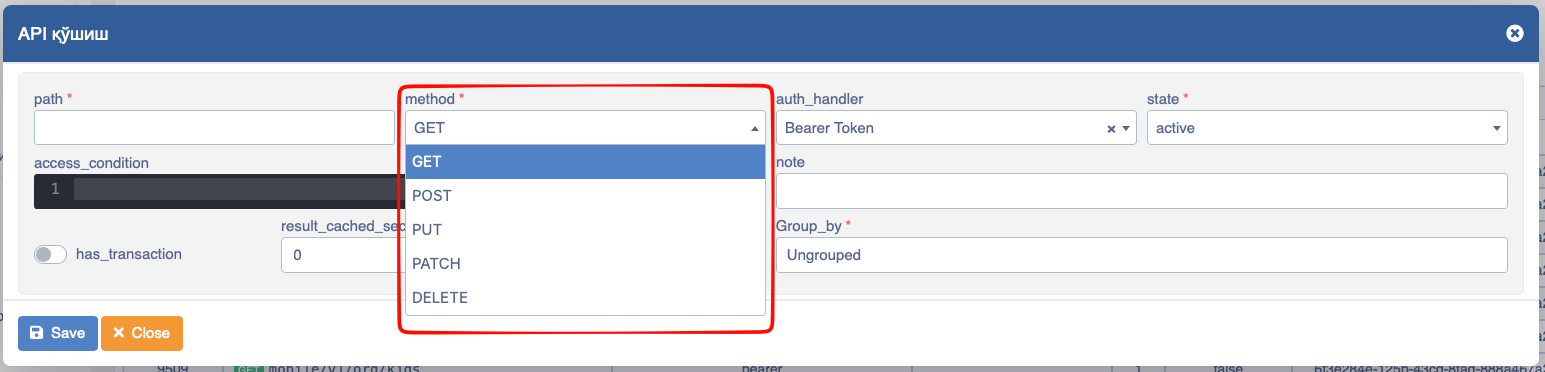
The use of method when adding an API to projects is divided into several types. These are:
GET- Intended for entering APIs designed to receive data.POST- Intended for APIs designed to publish data in a specific form, menu, page, etc., used in the project.PUT- Using APIs designed to update data.PATCH- Useful for APIs intended to be entered without publication, while also intending an update action.DELETE- Intended for use for actions expected to be deleted within processes inside applied functions.
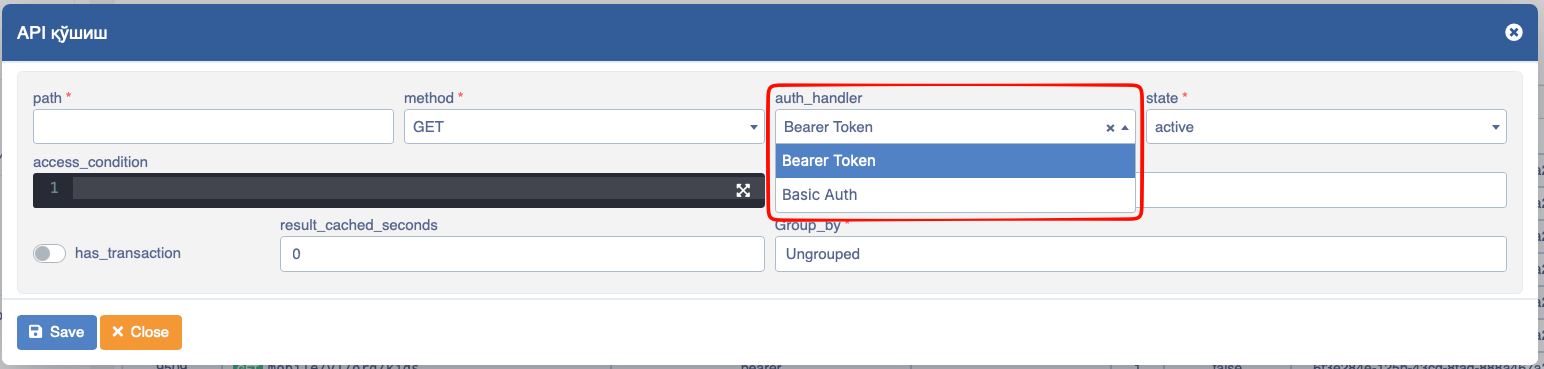
To configure the authentication parameter, an option is selected in auth_handler. These are:
Bearer Token- Authentication via a token attached to the user.Basic Auth- Authentication based on a token attached according to the standard.
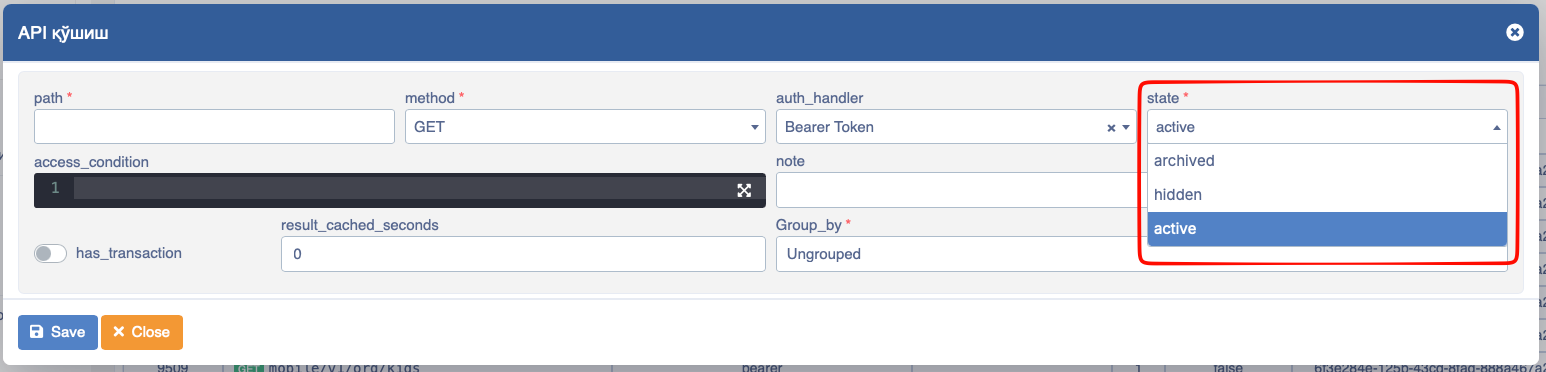
The state field is important for controlling the status of APIs added and attached to projects. Because depending on its setting, the added API can be visible, invisible, or archived. Its elements are as follows:
active- In this state, the API and its components are fully executed functionally wherever they are used.hidden- If the API is not needed in terms of operation, it can be disabled using this state.archived- Used to archive a specific API.
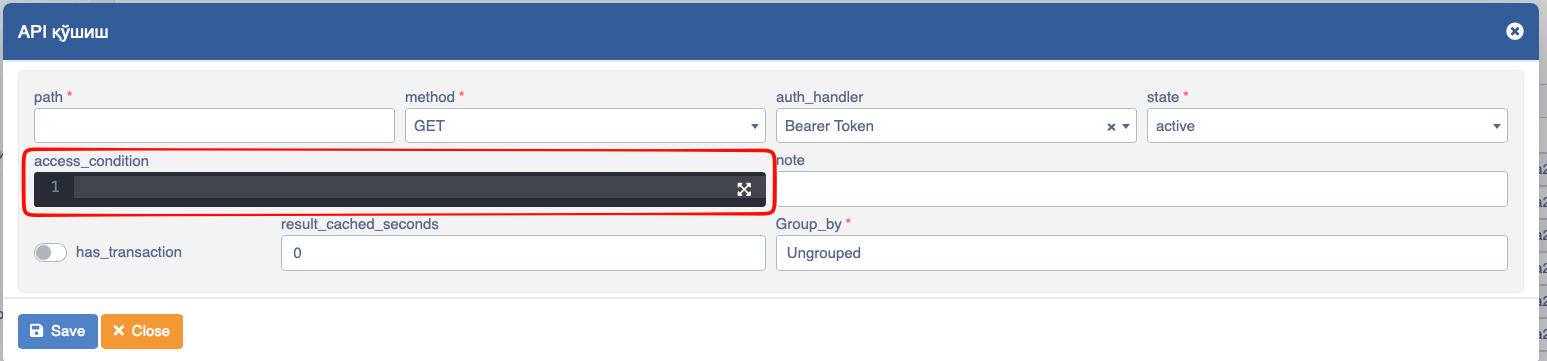
The access_condition field is used to decide who to grant permission to for a specific API.
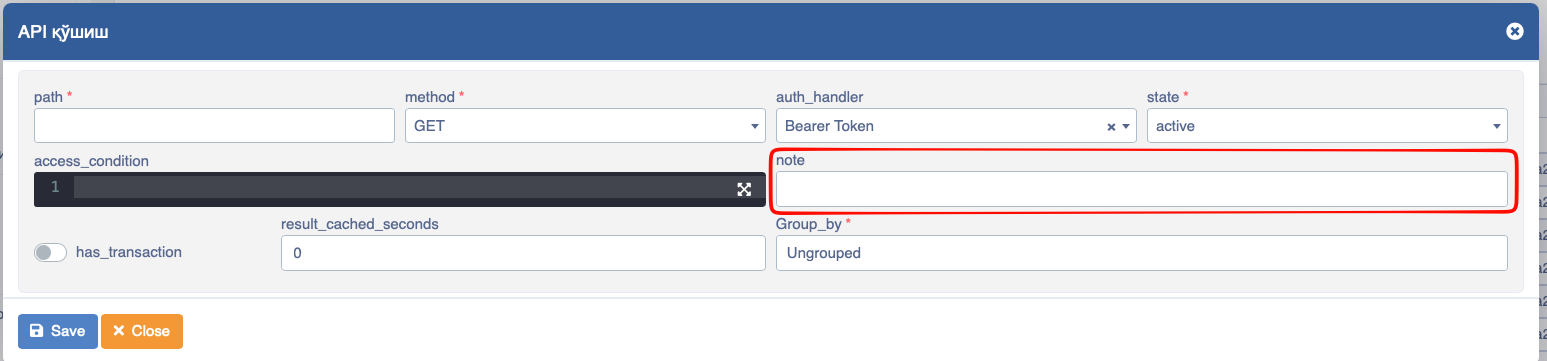
If short explanations are necessary for the entered API, the necessary main or additional information is entered manually in the note field.
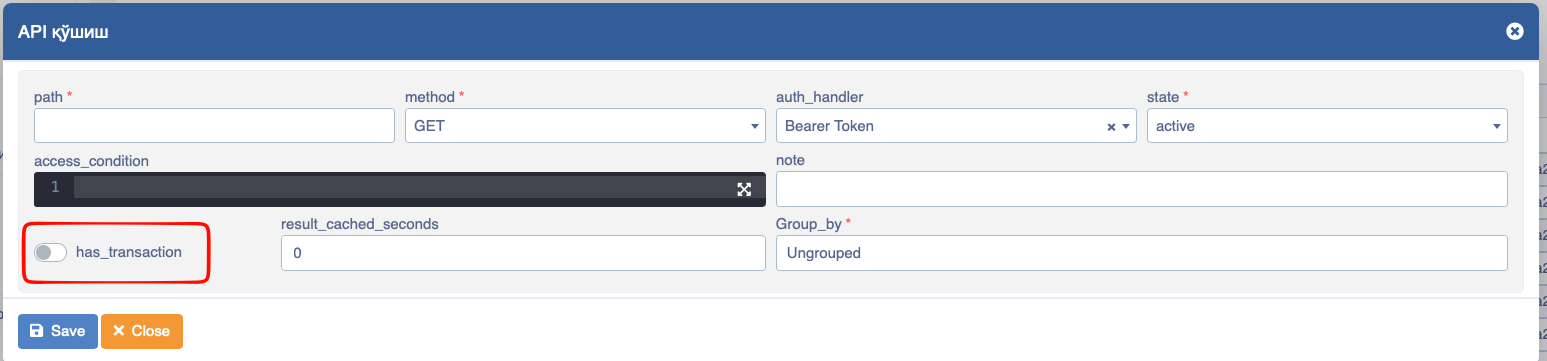
It is possible to check multiple parameters envisaged in the API and revert them to their place if an error occurs. To do this, click the has_transaction button. This is mainly useful for saving data (integrity) even if a single error occurs.
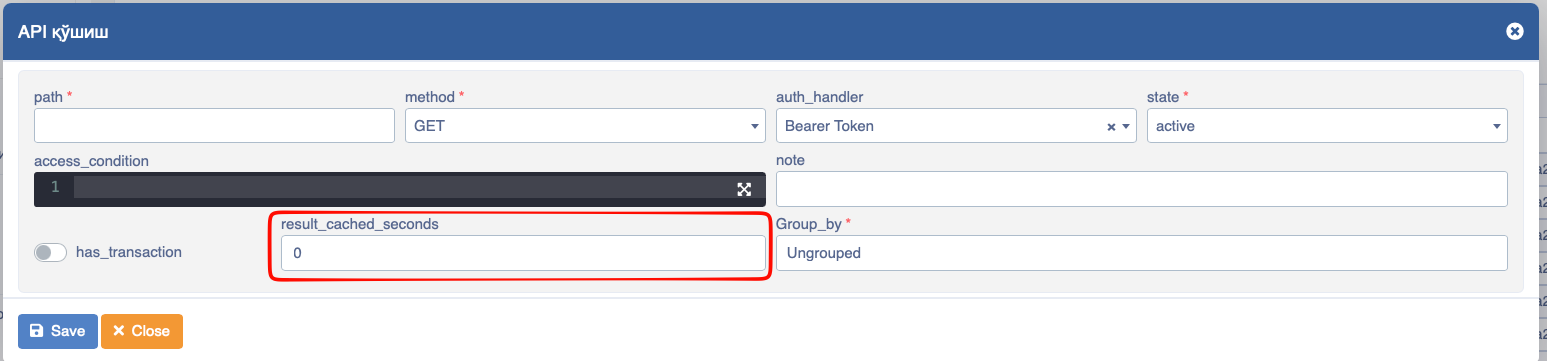
To indicate how many seconds the data returned in the API should be cached, enter the seconds in the result_cached_seconds field.
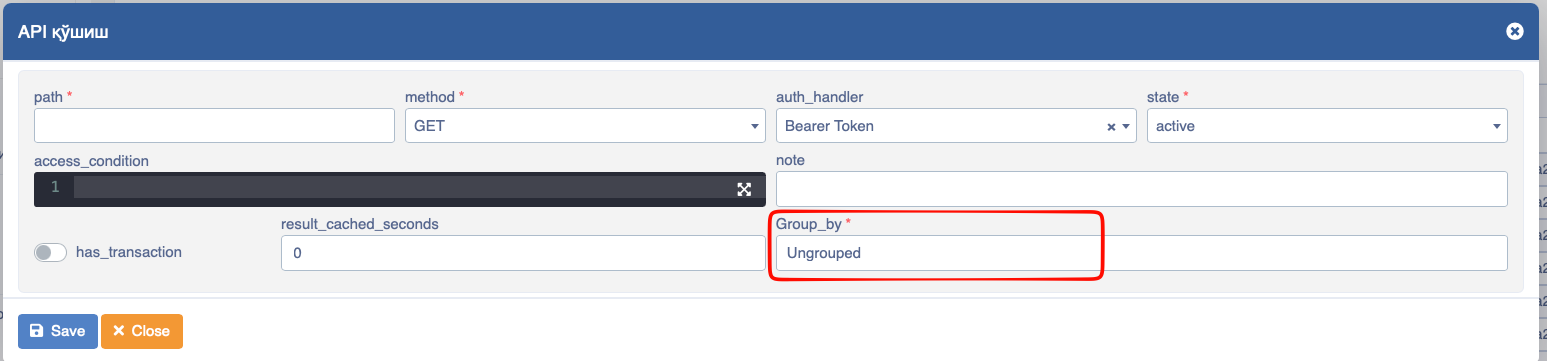
If this API needs to be grouped, the general group name is entered in the group_by field. We have looked at how to create APIs! Now let's look at their components, i.e., stages.
Stage Fields
Through the following sequence, you go to the form for adding a new API stage:
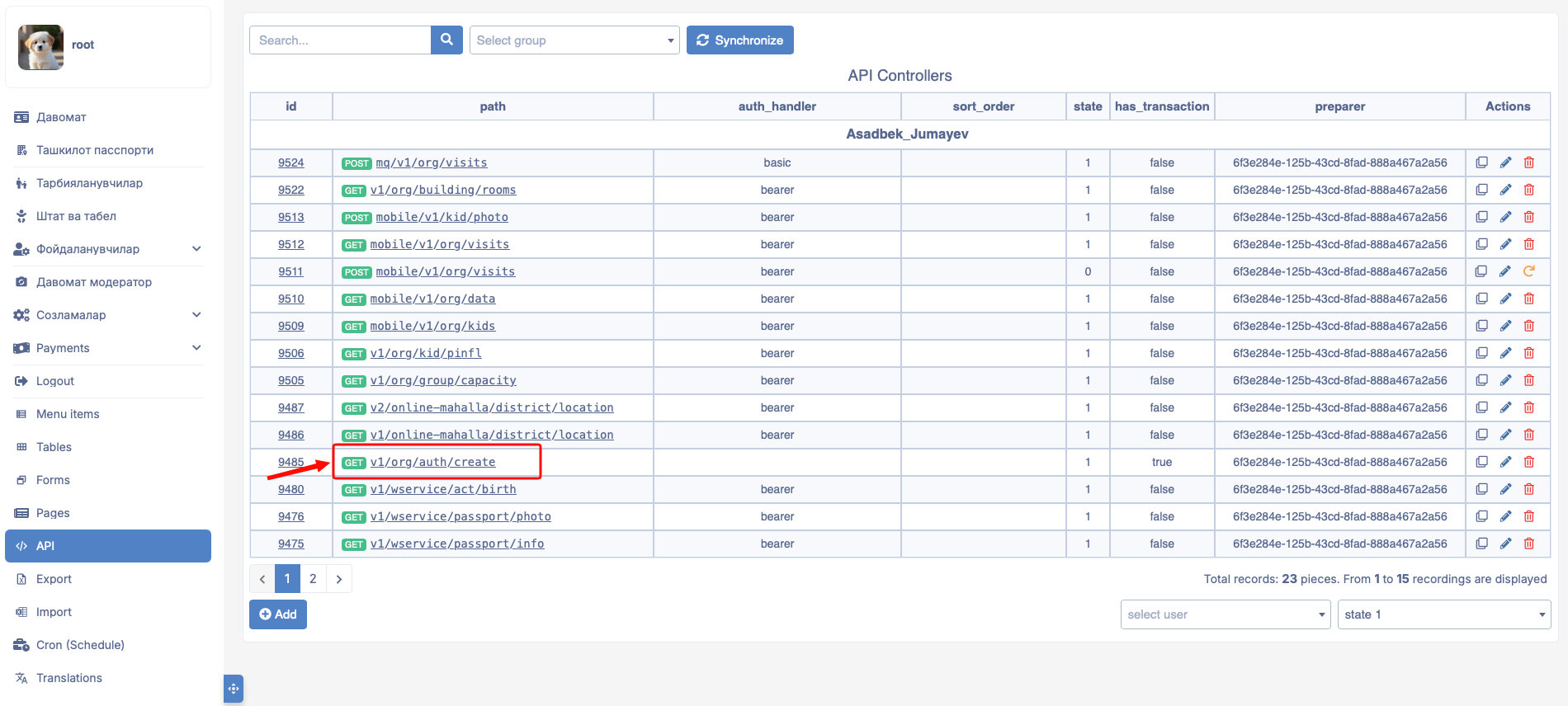
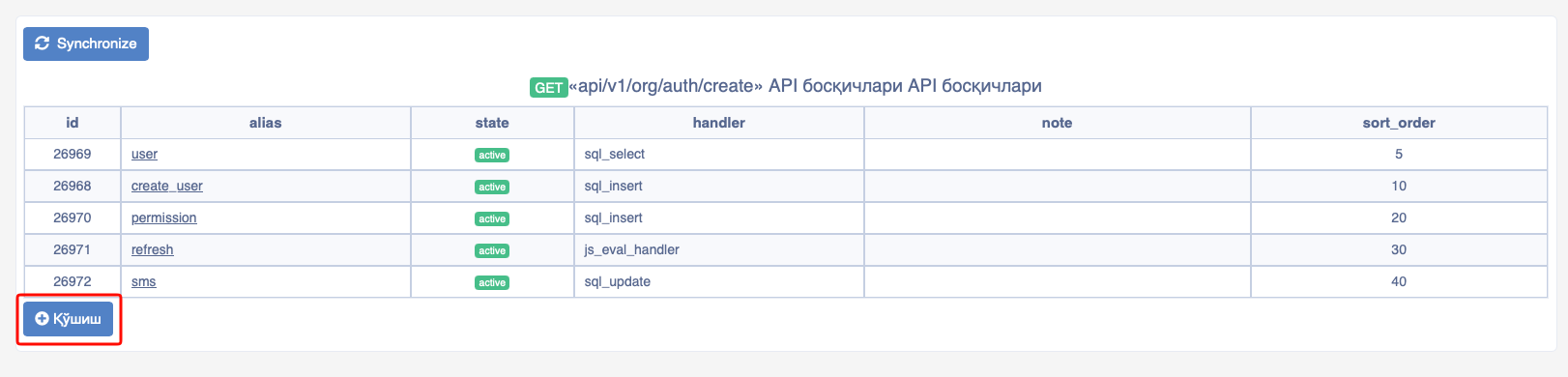
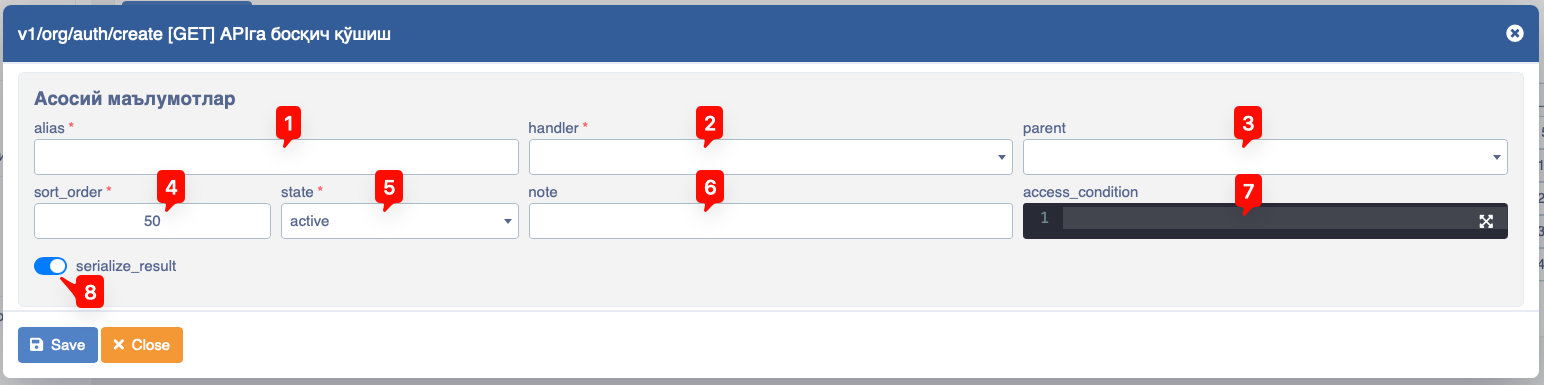
- alias - The name of the stage is written in this input.
- handler - The type of stage is selected in this input, i.e., what type of data transmission or reception is required. Depending on the type of data selected in this selection select, the modal window is also formed.
- parent - In this input, stages can be made dependent on each other, i.e., it gives the opportunity to link one stage to another.
- sort order - Gives the opportunity to sort stages.
- state - Reflects the state of the stage. It covers a number of states. They are:
archived- To archive the file completelyhidden- To make the status inactive so it is not usedactive- To indicate that it is in a configured state for use
- note - Used to provide a description, i.e., a short definition regarding the stage. It is recommended to enter brief information about what the stage is intended for and its essence.
- access_condition - Designed to enter the condition under which the stage operates.
- serialize_result - This input indicates whether to return the data in the stage to the initiator.
Types of Stages
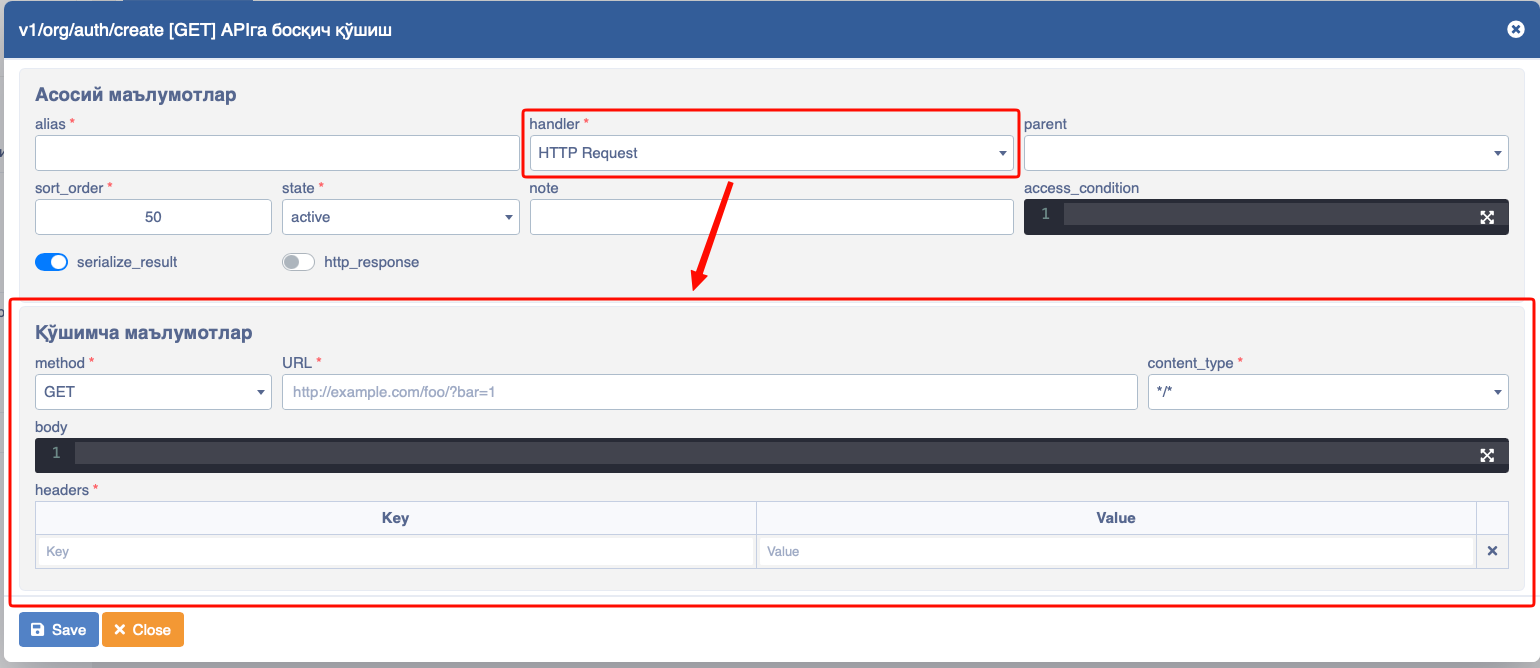
HTTP Request Handler - This type is used to address an external API.
In this:
- method - Allows selecting the request type (
GET,POST,PUT,PATCH,DELETE). - url - Designed to indicate the address of the API.
- content_type - Designed to indicate the response type (
application/json,text/plain,text/html,multipart/form-data,application/x-www-form-urlencoded,application/pdf,application/octet-stream). - body - If data needs to be posted, this information can be stated here.
- headers - A field designed for entering auth information, requiring the entry of Key and Value information.
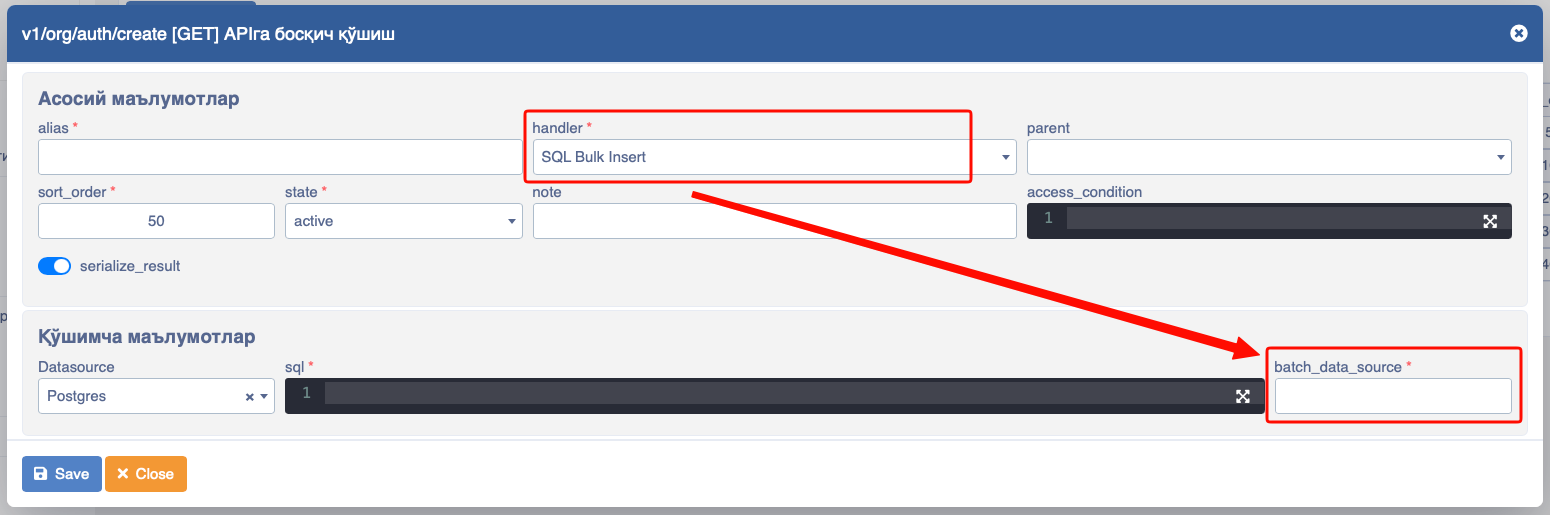
SQL Bulk insert - This type has the ability to save a lot of data, i.e., a list of data.
In this:
- sql - PostgreSQL queries are written in this field to express which table and which column to save to.
- batch_data_source - The name of the list coming to this stage is written, like
#list.
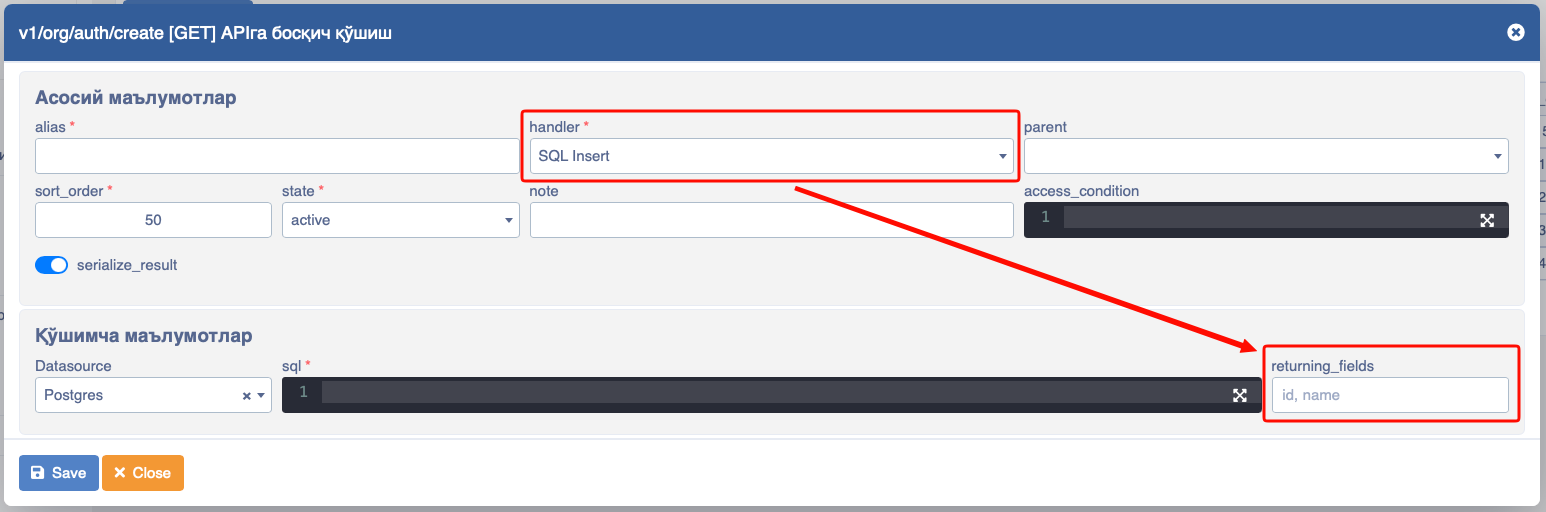
SQL insert - This type is used to insert a single object.
In this:
- sql - postgresql queries are written in this field to express which table and which column to save to.
- returning_fields - Used to write and show which column's data to return after the insert.
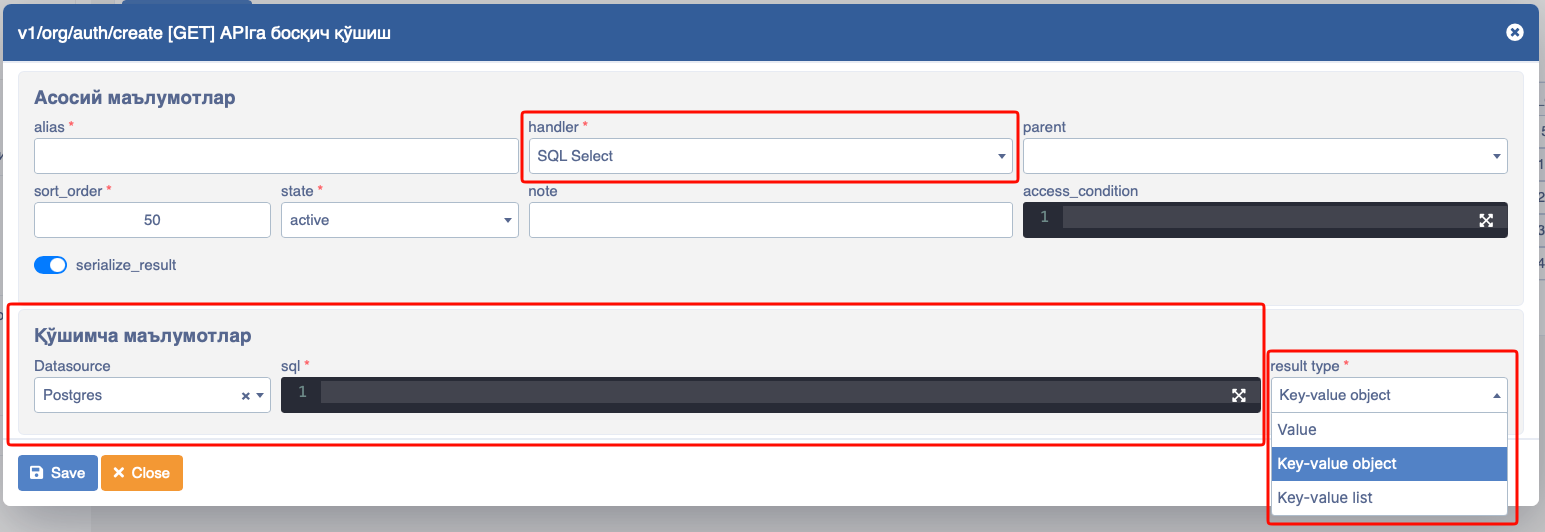
SQL select - This type is used to read data.
In this:
- sql - postgresql queries are written in this field to express which table and which column to save to.
- result_type - You can control in what format the data obtained from the table should come in this select.
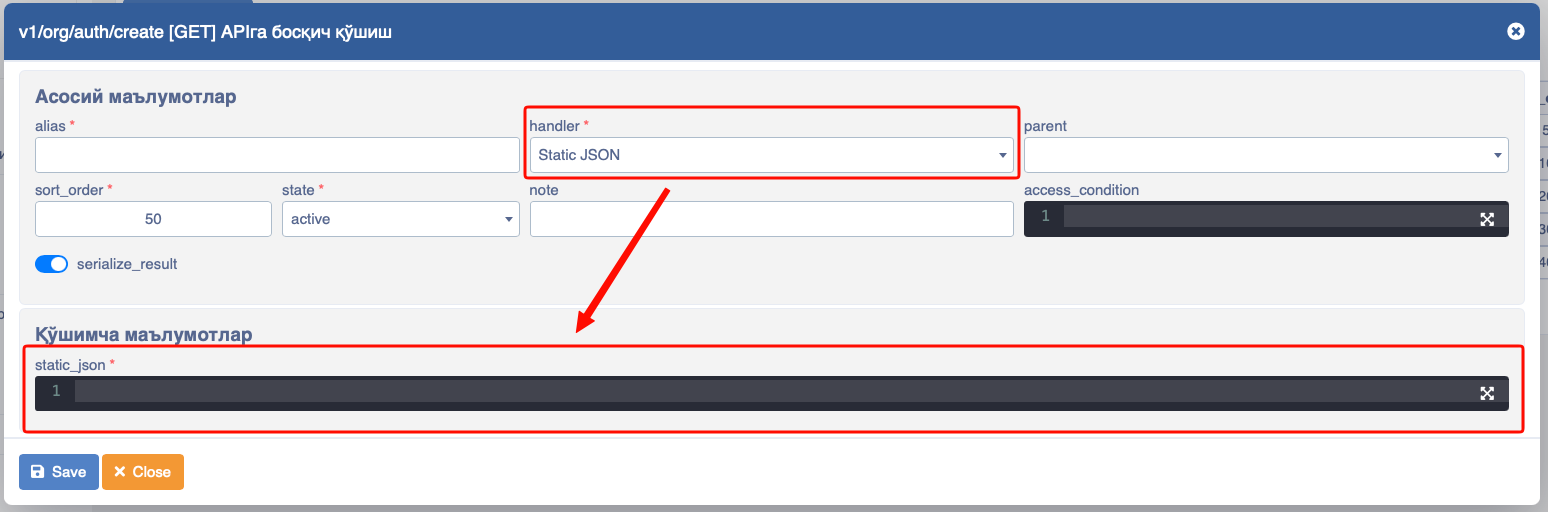
static_json - This type is mainly used to combine data from two or more stages.
In this:
- static-json – All data in JSON format is collected here.
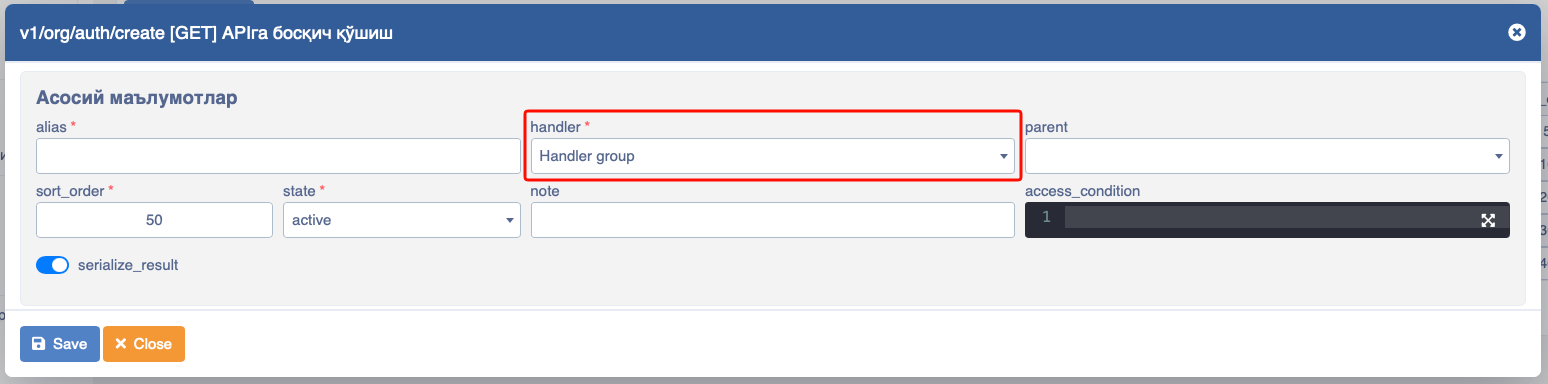
handler_group - You can manage others by taking two or more stages as a parent and giving a condition specifically to this stage.
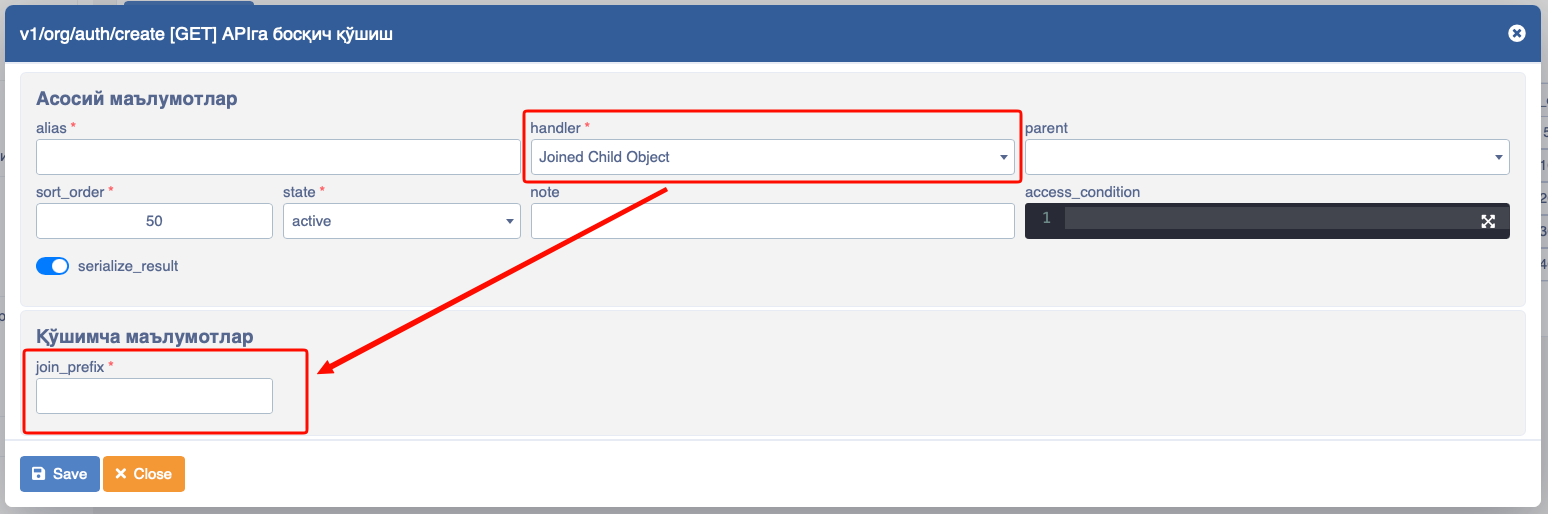
joinChildObject - Building an object within Objects in the API.
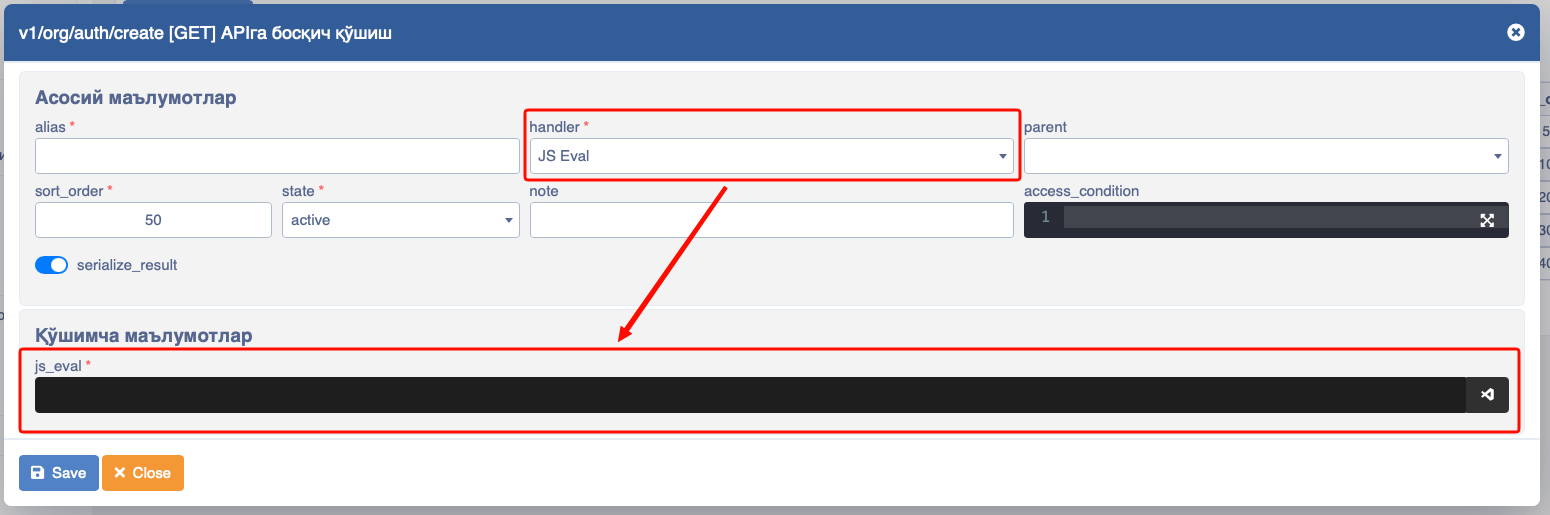
JSEval - This type is used for the creation of the stage via JavaScript and Java.
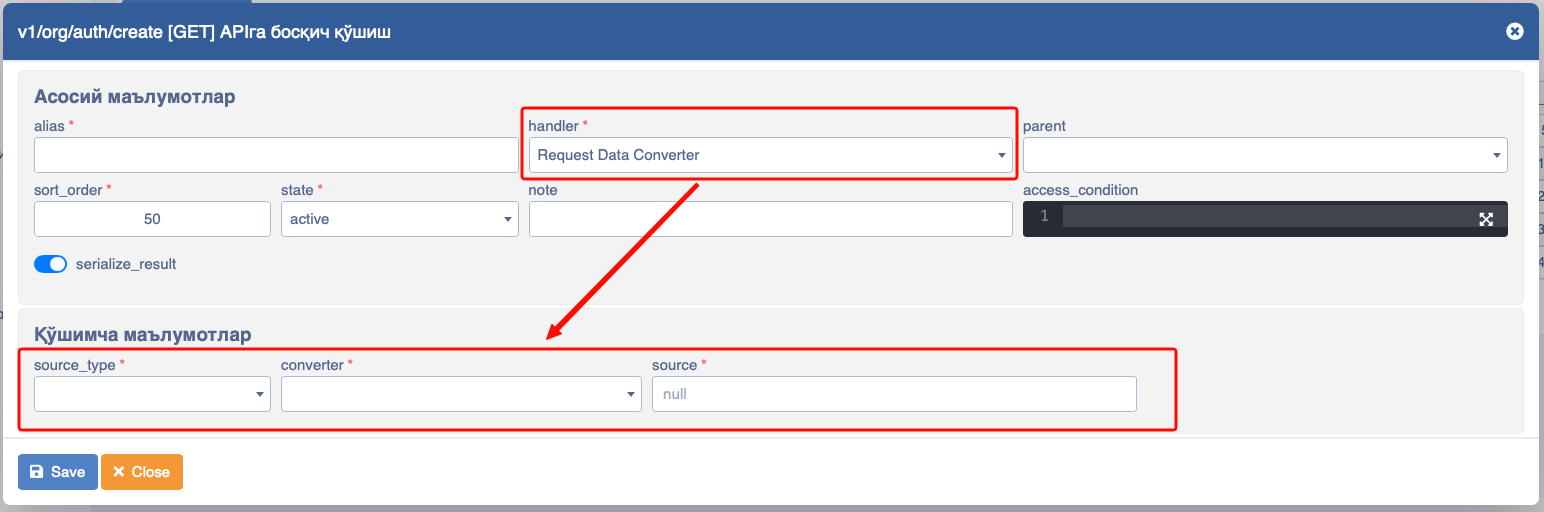
requestDataConvertor
WARNING
? please add info
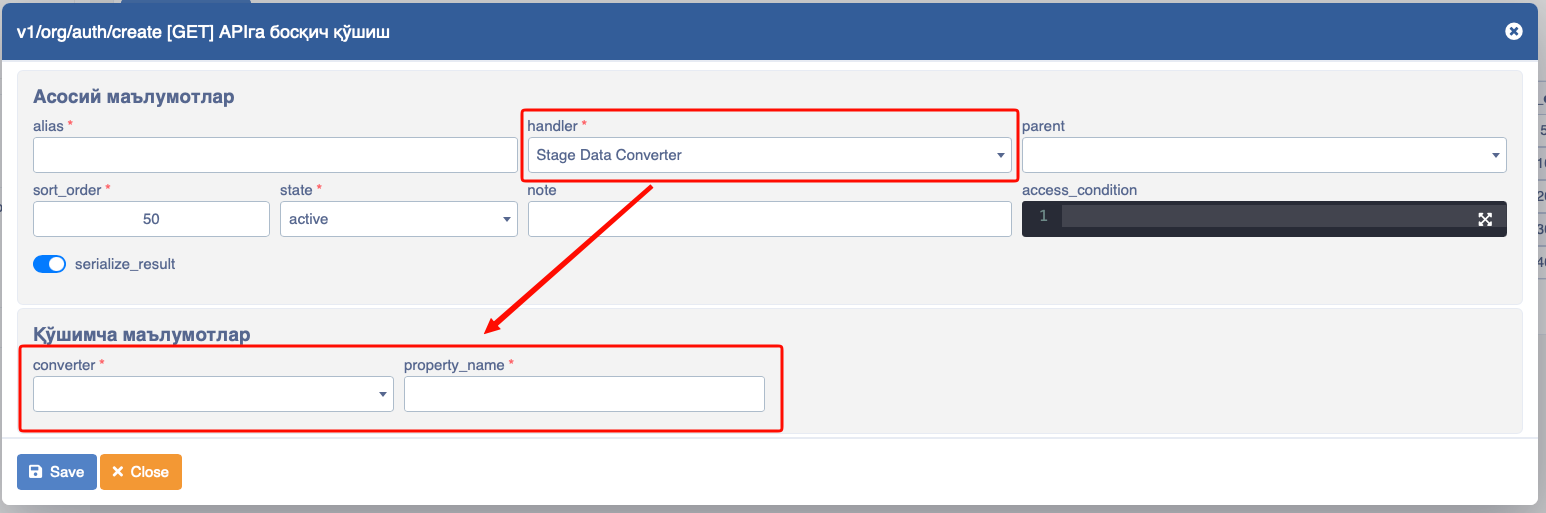
stageDataConvertor - To convert data in Stages to another type.
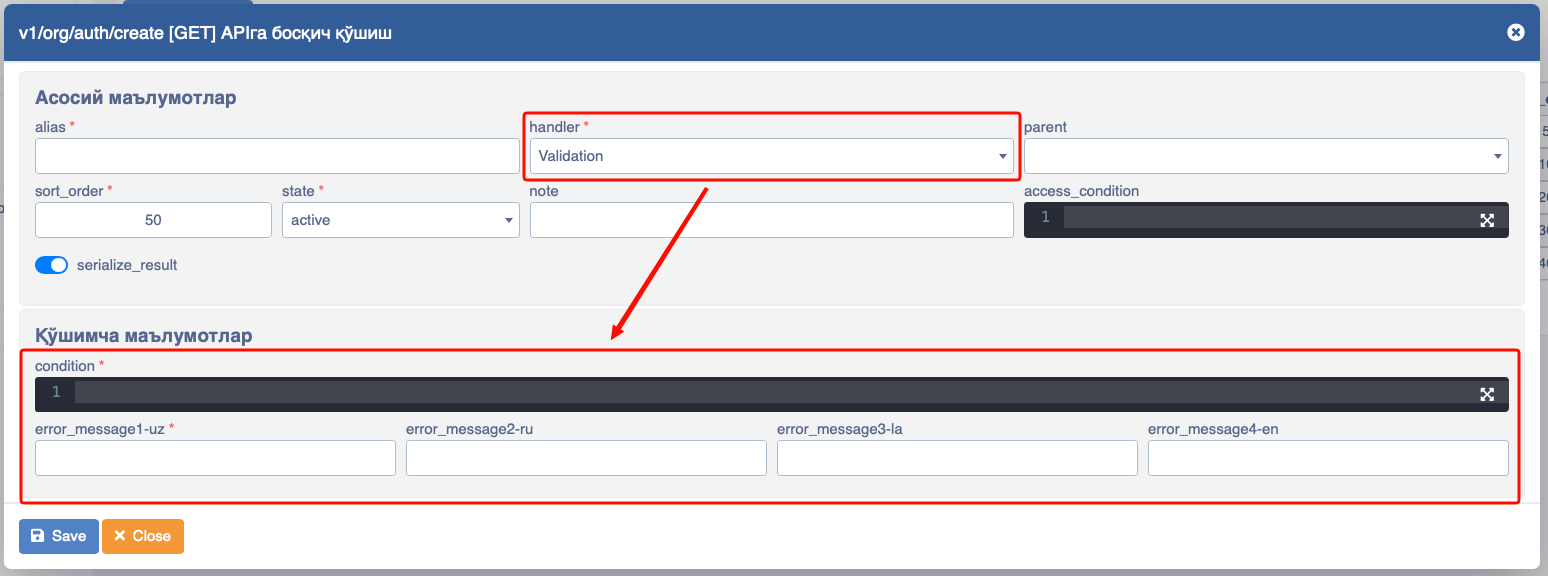
Validation - This type is used for validations that can be applied in the system. In this case, if the system does not show (provide) a field required by the API, it returns a 500 error asking to provide it.
In this:
- Condition – Place to provide a condition for validation to work correctly.
- Error_message – Place to enter detailed information about the error. It is possible to enter the error in multiple languages here.
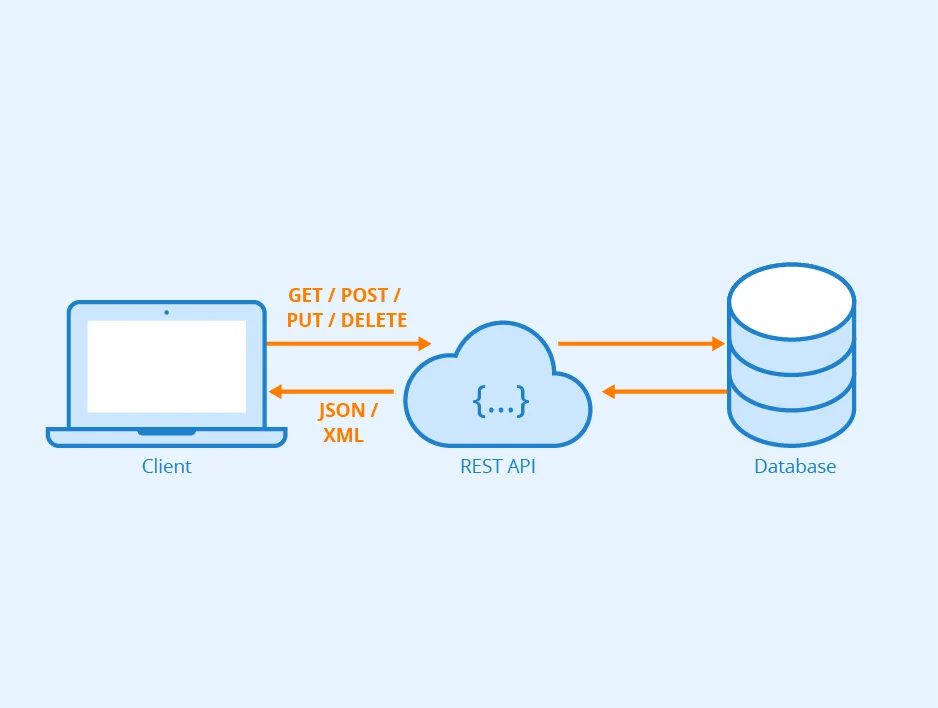
Below you can see the operating procedure of the API
Stages
INFO
In Platon API, we can write many stages within a single API using stages. Through the sequence of Handlers, data from the stage above is captured via :, and data from parameters is captured via the # symbol.
After the "API" is registered, its steps (stages) must be entered. Stages are the types of requests coming to the API. Requests coming to the API can have the form GET, POST, PUT, PATCH, DELETE.
Requests used for the Handler consist of the following:
SQL Select - Used to call data from the databaseSQL Insert - Used to enter data into the databaseSQL Update - Used to change data in the databaseSQL Bulk Insert - Used to enter multiple data into the database at the same timeSQL Batch Update - Used to change multiple data in the database at the same timeHandler group - Grouping data in StagesStatic JSON - To write static data in JSON formatHTTP Request Handler - To address other APIs within the APIJoined Child Object - Building an object within Objects in the APIValidation - Setting validationStage Data Converter - To convert data in Stages to another typeRequest Data Converter - ????JS Eval - To write JavaScript codes within APIs.
Examples of using Handlers:
The following examples are query samples for work carried out on the cars table in the test Platon environment.
- SQL Select
select id,
       car_name,
       car_brand
from cars
where state = 1
In this example, all cars with state = 1 in the cars table return (as a list).
If data in the query is filtered by some information via a parameter, we capture them inside the query using the # symbol.
- SQL Insert
insert into cars(
    id ,
    car_name ,
    car_brand)
values(
    1::integer ,
    #car_name::varchar ,
#car_brand::varchar)- SQL Update
update cars
  set car_name = #car_name::varchar
where id = #id::integer- SQL Bulk Insert - We use SQL Bulk Insert to send multiple data items to the database in the form of a list. For example, we have an array named
carsand multiple cars are posted in it.
cars = [
  { id: 1, car_name: 'Model S', car_brand: 'Tesla' },
  { id: 2, car_name: 'Civic', car_brand: 'Honda' },
  { id: 3, car_name: 'Mustang', car_brand: 'Ford' },
  { id: 4, car_name: 'Corolla', car_brand: 'Toyota' },
  { id: 5, car_name: 'A4', car_brand: 'Audi' }
];
If we want to send a list similar to the cars above, we use SQL Bulk Insert specifically.
Example:
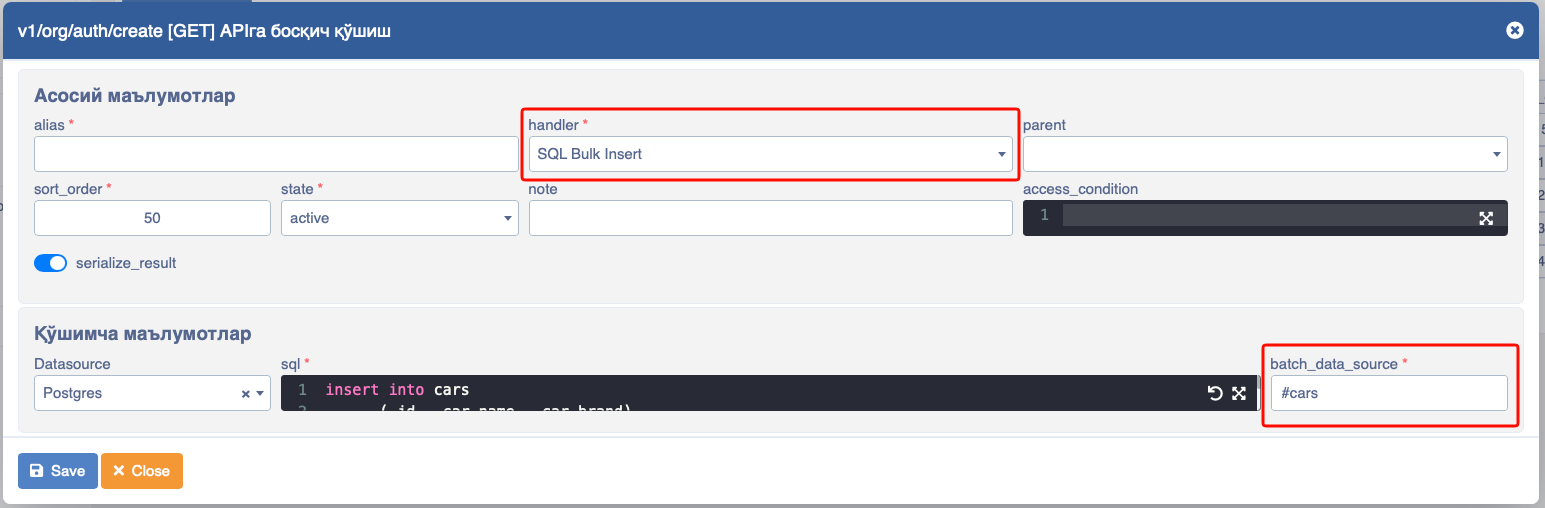
Here, we capture the array coming to batch_data_source using the # symbol.
And in the Query, it is written as follows:
insert into cars
    (id, car_name, car_brand)
values (@id,
        @car_name,
        @car_brand)
We capture the data inside the array using the @ symbol.
- SQL Batch Update - Here, data in the form of a list is updated:
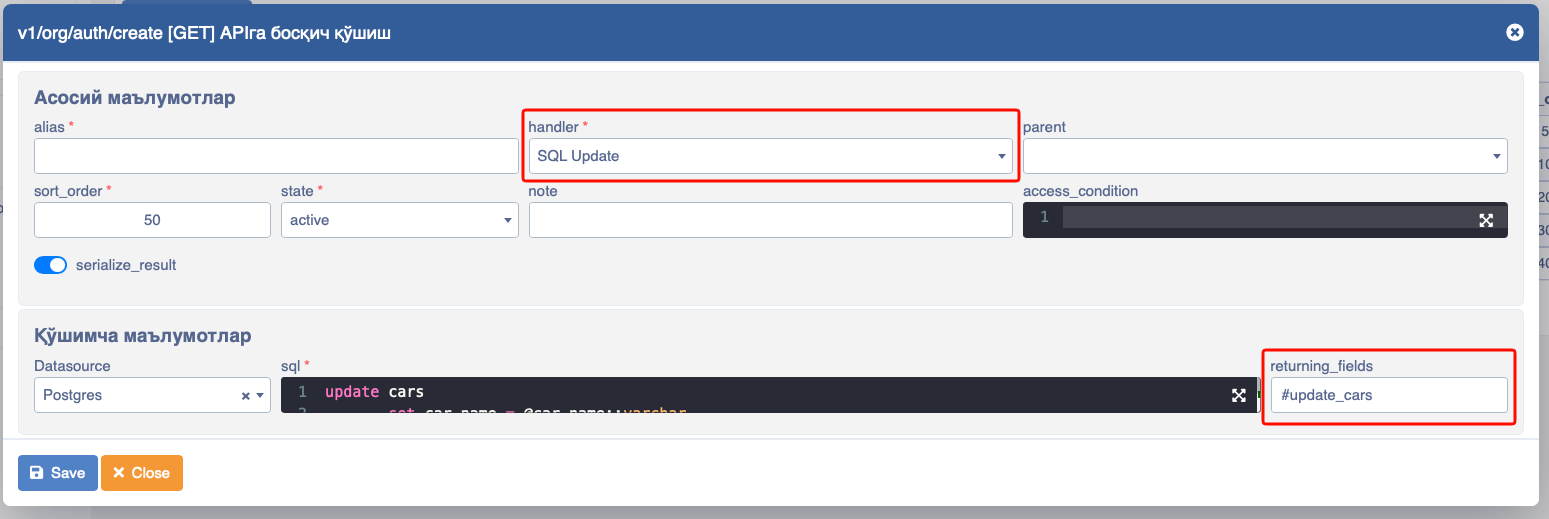
Writing in the Query:
update cars
       set car_name = @car_name::varchar
where id = @id::integer- Handler group - via Handler group we can group stages in APIs. For example, assuming the following stages exist in APIs:
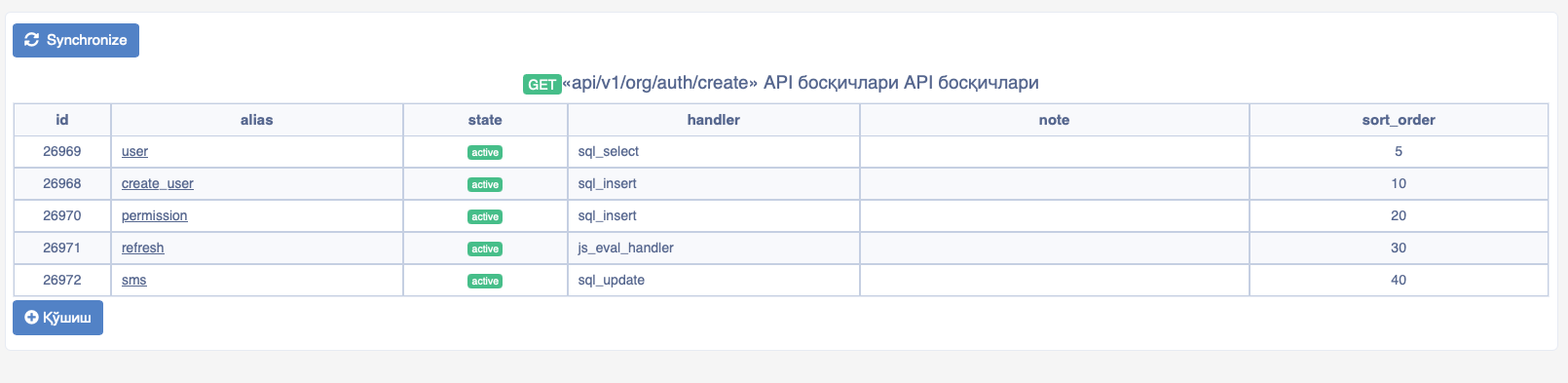
and if we need to group certain APIs, we use Handler group.
- Static JSON - When the API is accessed via Static Json, static data is written in JSON format.
Example:
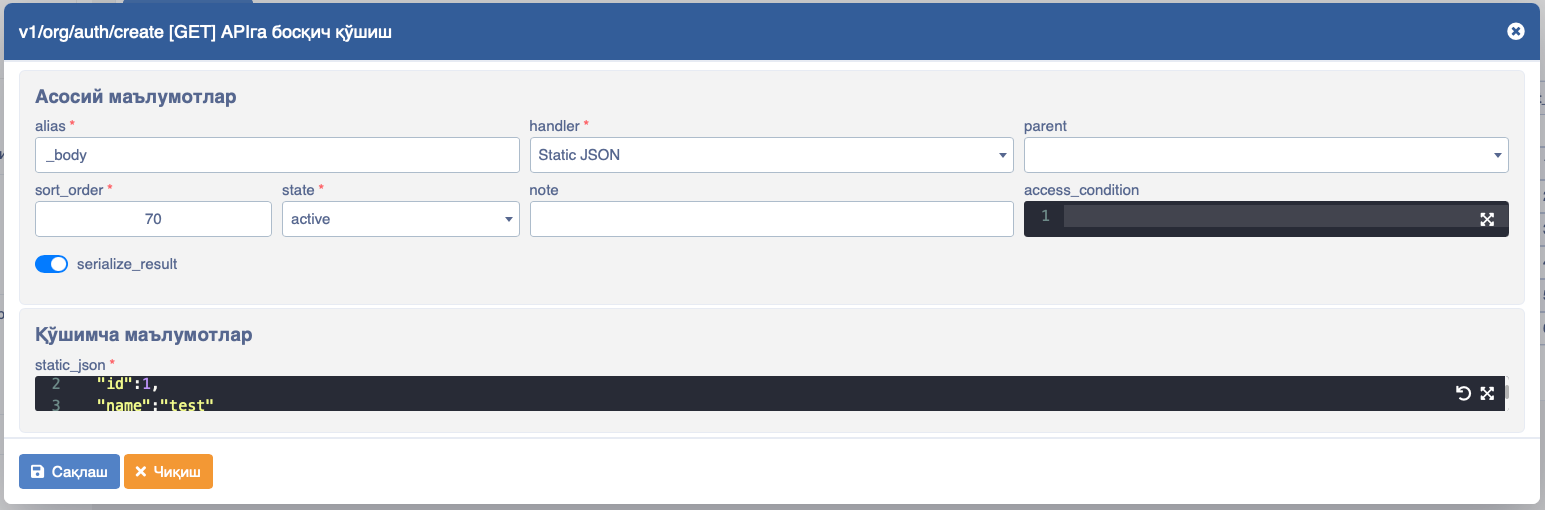
{
  "id":1,
  "name":"test"
}
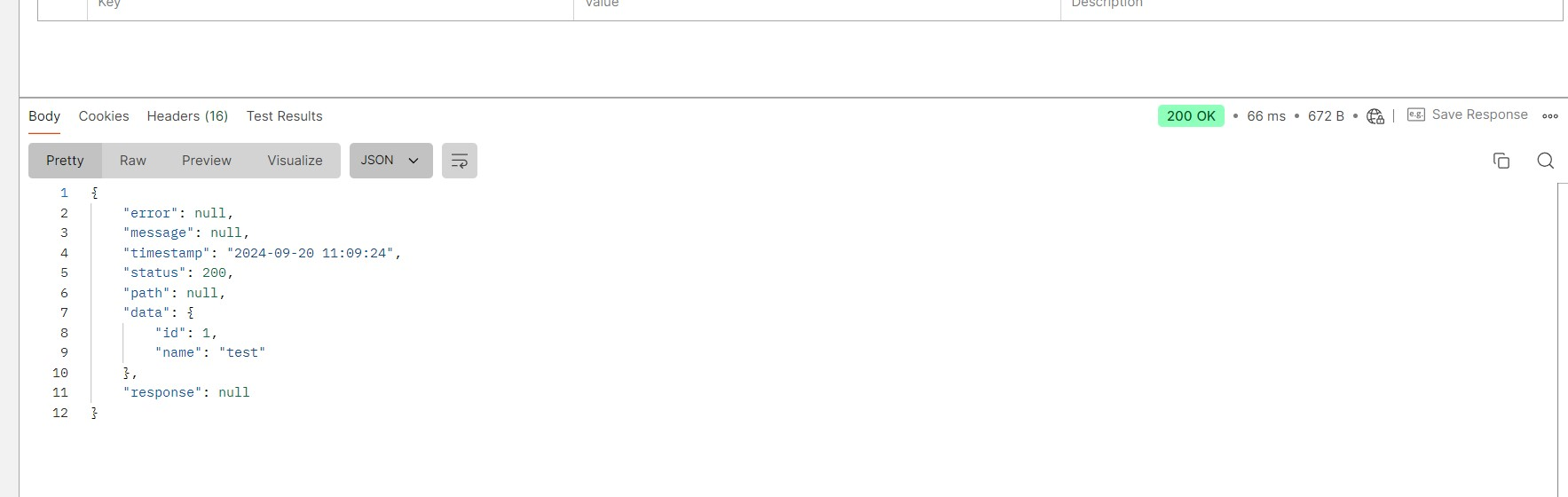
And when the result is obtained via Postman, we can get the following result.
- HTTP Request Handler - Through this, an appeal is made to external and other APIs.
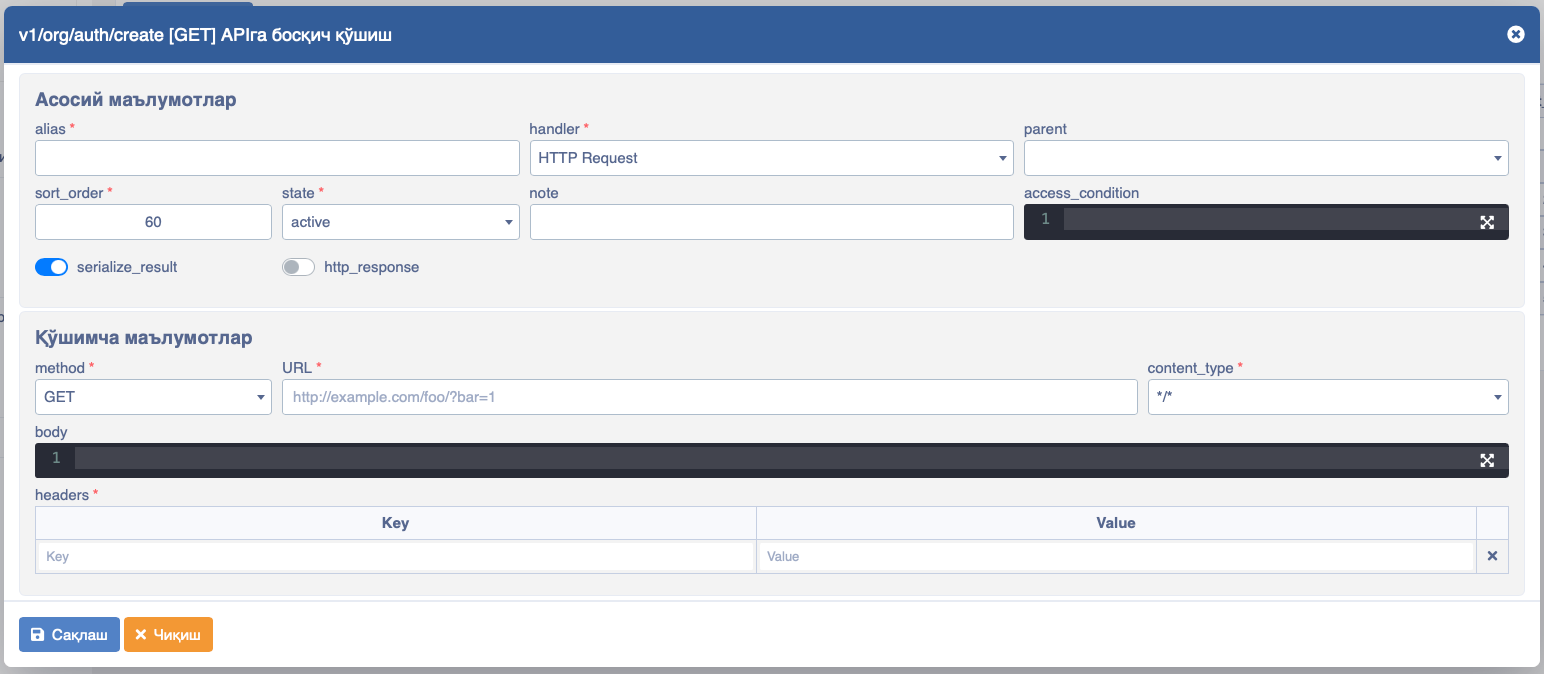
- URL - The URL of the API that needs to be addressed. Things intended to be given in the headers of the API being sent to are written in Headers.
- Joined Child Object - Through this handler, we can build child objects inside the Objects returning from APIs. For example, we receive data from the API in the following form:
[
        {
            "id": "1",
            "status": 1,
            "car_type": 1,
            "car_name": "BMW X5",
            "car_brand": "BMW"
        },
        {
            "id": "2",
            "status": 1,
            "car_type": 1,
            "car_name": "NEXIA 3",
            "car_brand": "GM-Uzbekistan"
        }
]
And the request in this case is written as a simple select as shown above:
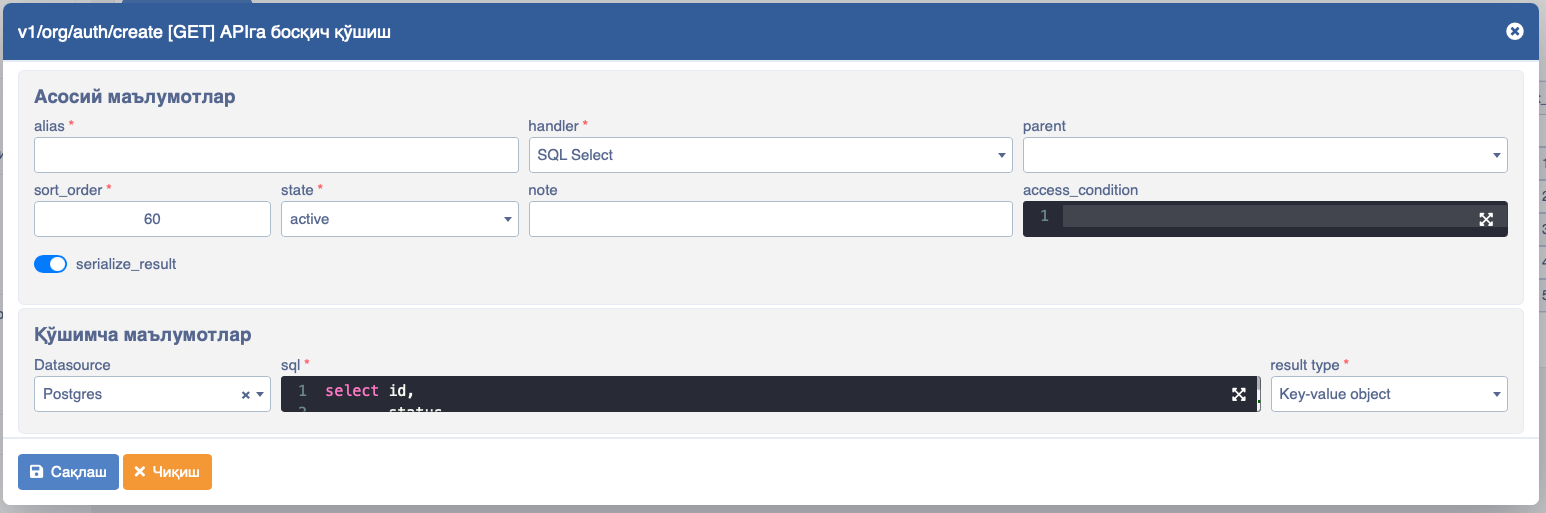
And the SQL query is as follows :
select id,
       status,
       car_type,
       car_name,
       car_brand
from cars
where state = 1
Now, if we need the data in another form, i.e., via nested objects, then we do it via Joined Child Object, i.e.:
[
        {
            "id": "1",
            "status": 1,
            "car": {
                "name": "BMW X5",
                "type": 1,
                "brand": "BMW"
            }
        },
        {
            "id": "2",
            "status": 1,
            "car": {
                "name": "NEXIA 3",
                "type": 2,
                "brand": "GM-Uzbekistan"
            }
        }
]
If needed in this view
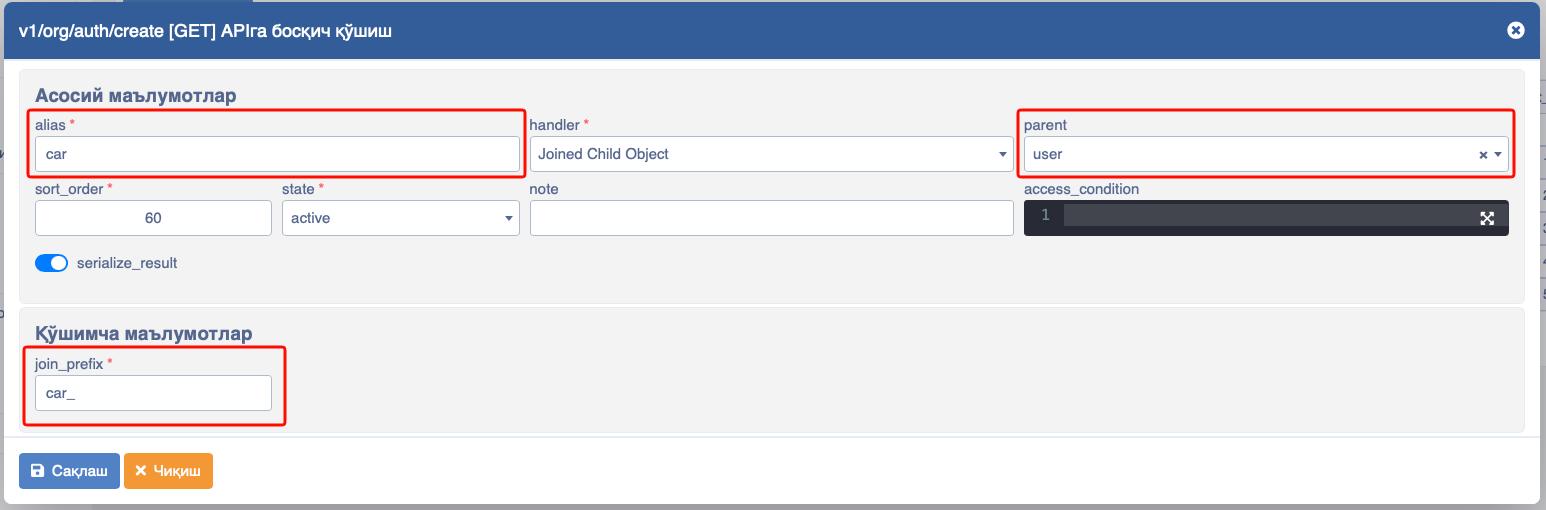
- alias - Here, the name of the child object inside the object
- parent - From which stage it takes data
- join_prefix - By what criteria it sorts and separates
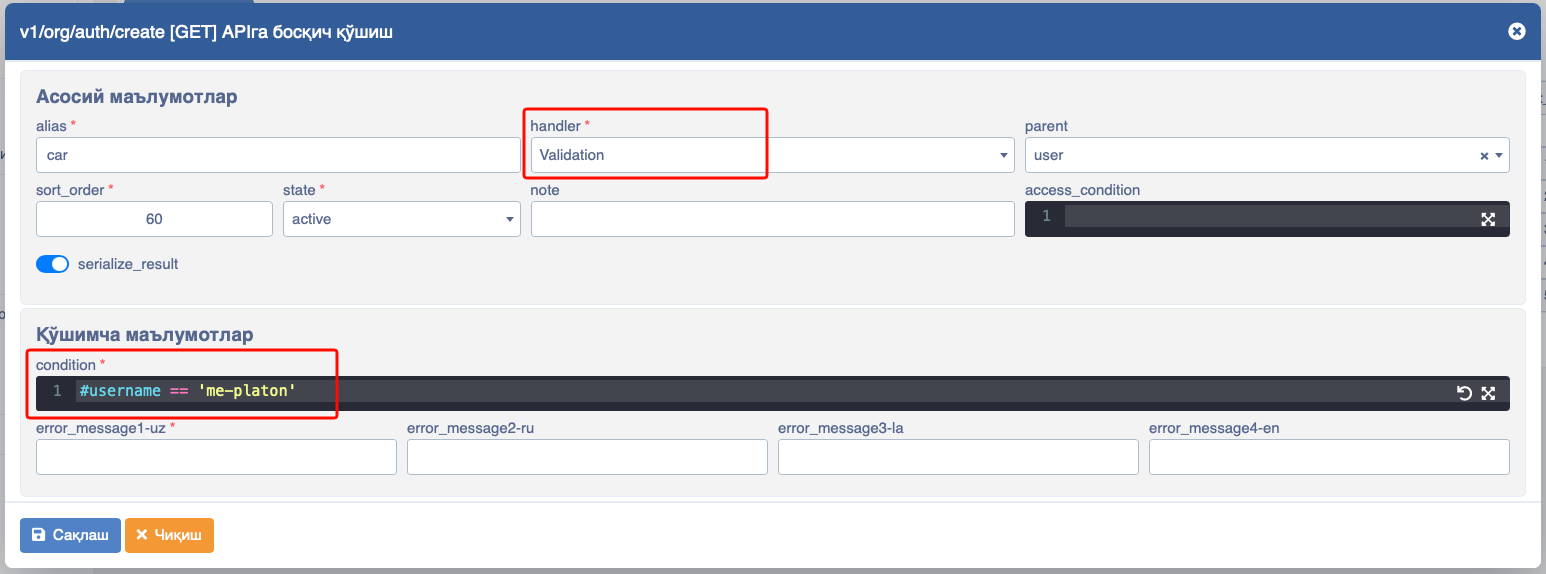
Validation - via Validation we can check incoming data and return errors.
- condition conditions are checked via by this field
- error_message1-{lang_code} - the texts to be sent when an error returns
- error_message1-uz - the error message in Uzbek Cyrillic characters
- error_message1-ru - the error message in Russian
- error_message1-la - the error message in Uzbek Latin characters
- error_message1-en - the error message in English
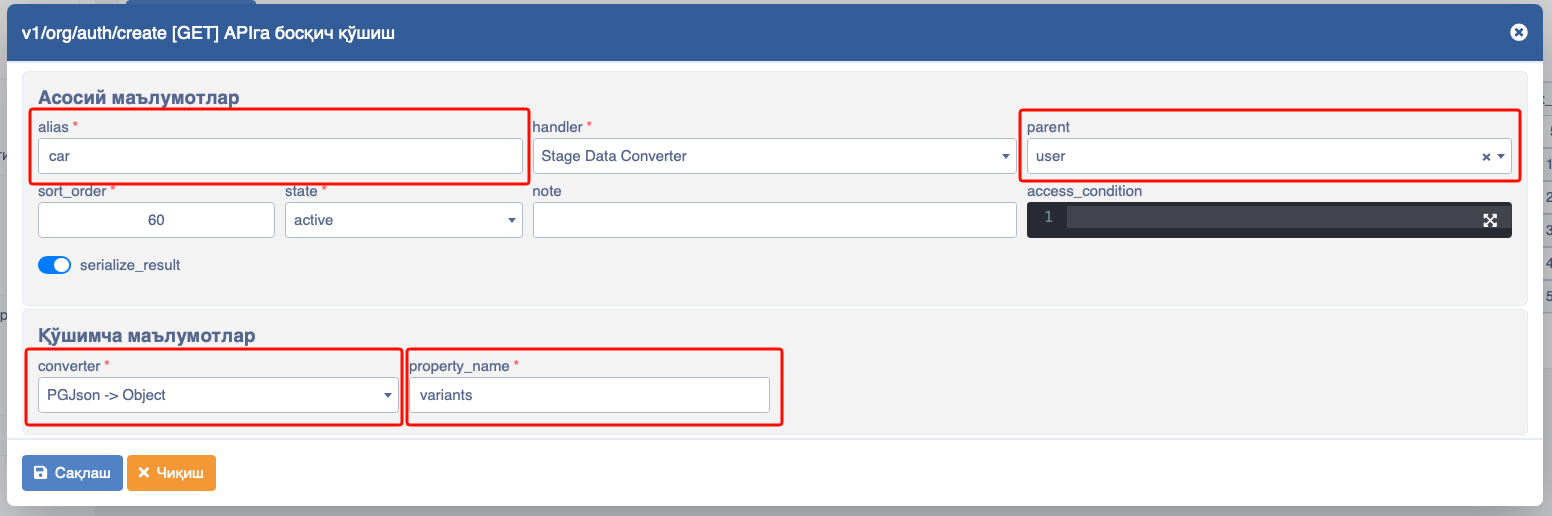
Stage Data Converter through this stage, we can convert other stage data.
- alias - Here, the name of the child object inside the object
- parent this field indicates from which stage data should be taken, i.e., the parent stage.
- converter in this field, we select from which type to which type to convert data.
- property_name in this field, we define which data needs to be processed.
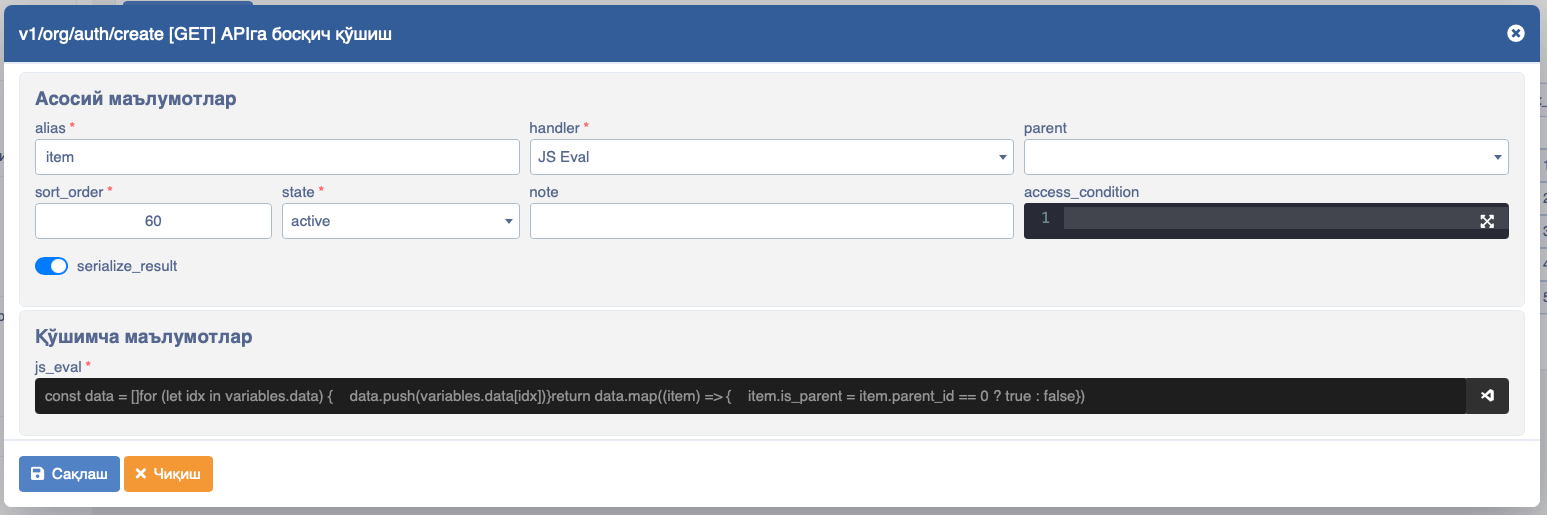
JS Eval - JavaScript codes are written inside APIs via JS eval.
- js_eval - in this field, JavaScript code lines are written and platform handles them to get API data.
The list of stages available in the API appears when clicking on the API link
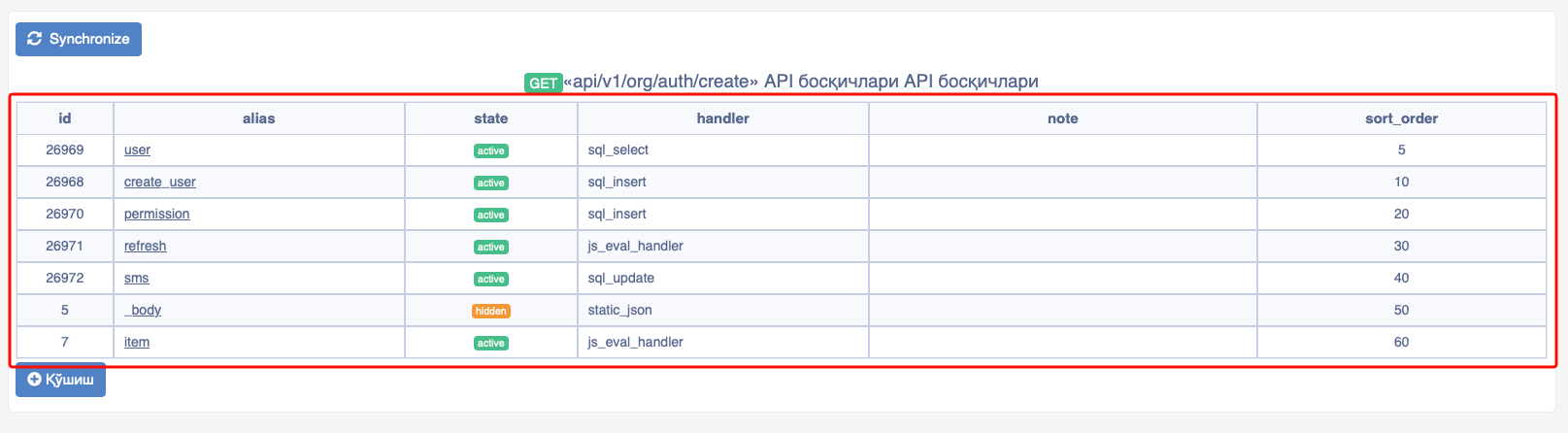
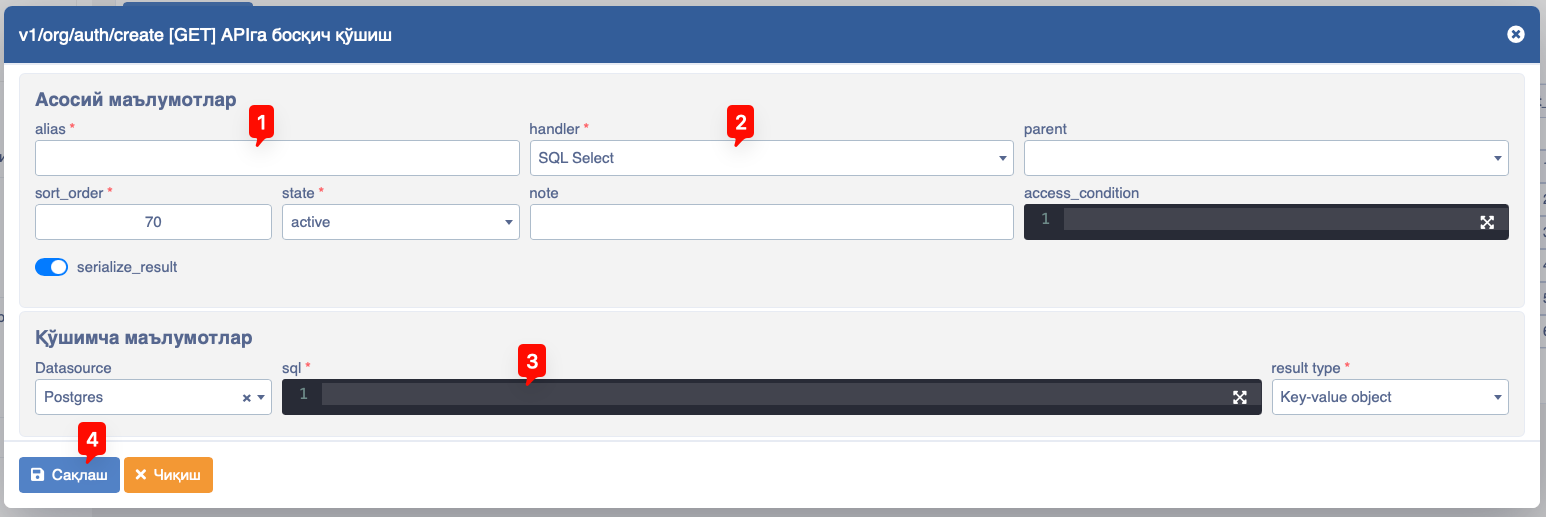
To add a new stage to the API, click the Add button and fill in the necessary information:
- Stage alias, i.e., naming - 1
- Stage handler (type) (SQL query, external HTTP request, etc.) - 2
- Stage request code - different required fields, varying by selected handler 3
After entering all information, click the save - 4 button
WARNING
Note that for each stage type (Stage handler) there is a unique additional information section
HTTP Request handler stage
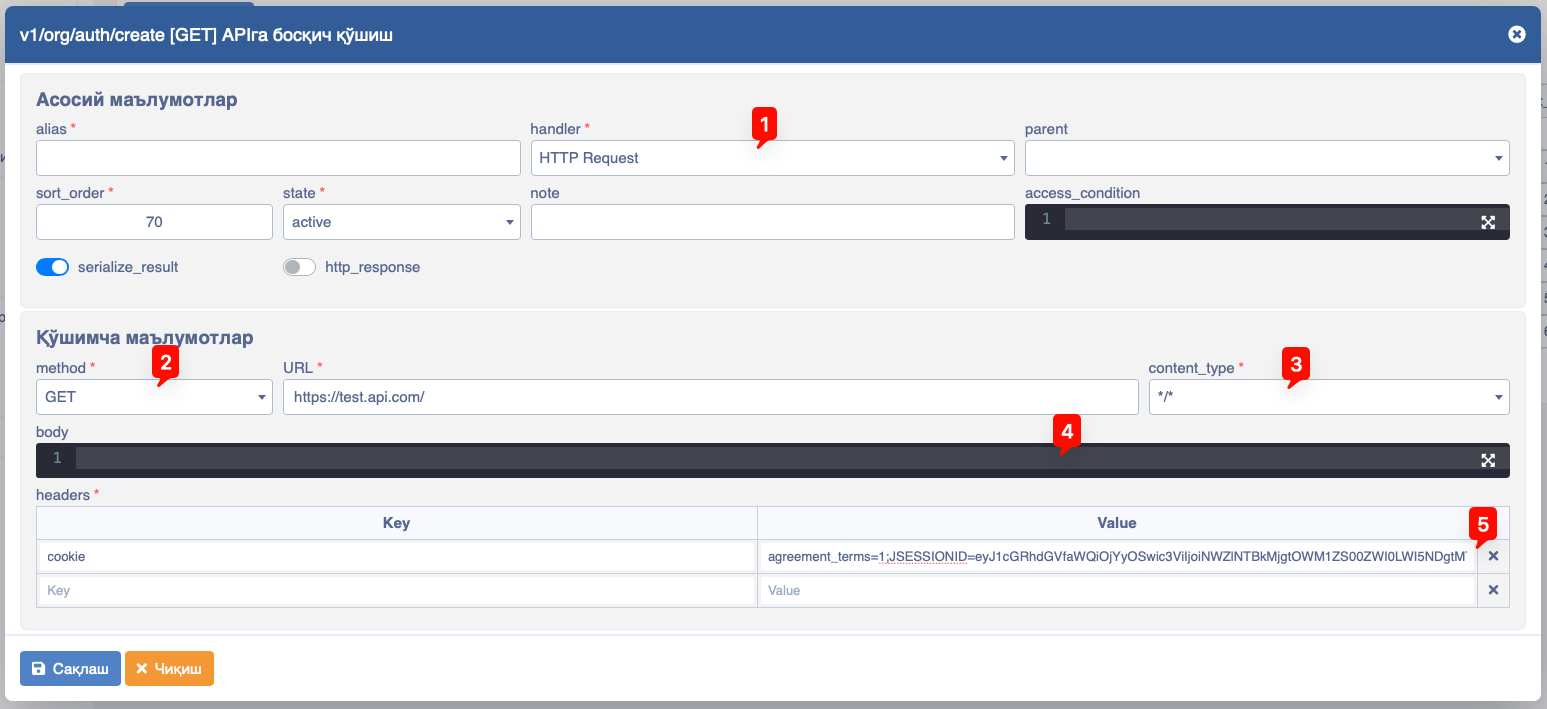
This stage type of the API is used to load data from a source located on an external server via an API request. Additionally, the Request handler stage is used to prevent CORS errors (Cross-Origin Resource Sharing). As an example, we send an API request to a source on an external server.
In the image:
- Stage type HTTP Request handler - 1
- The type of external API address and link the stage refers to - 2
- The data format being sent to the external API of the stage - 3
- The body part being sent to the external API of the stage - 4
- The header part being sent to the external API of the stage - 5