File Categories
Section for working with user files on the Platon Platform
File Categories
The File Categories in the Platon platform includes functionality for specifying file categories and file size. To open File Categories, navigate to the File Categories section in the Platon platform's navigation list.
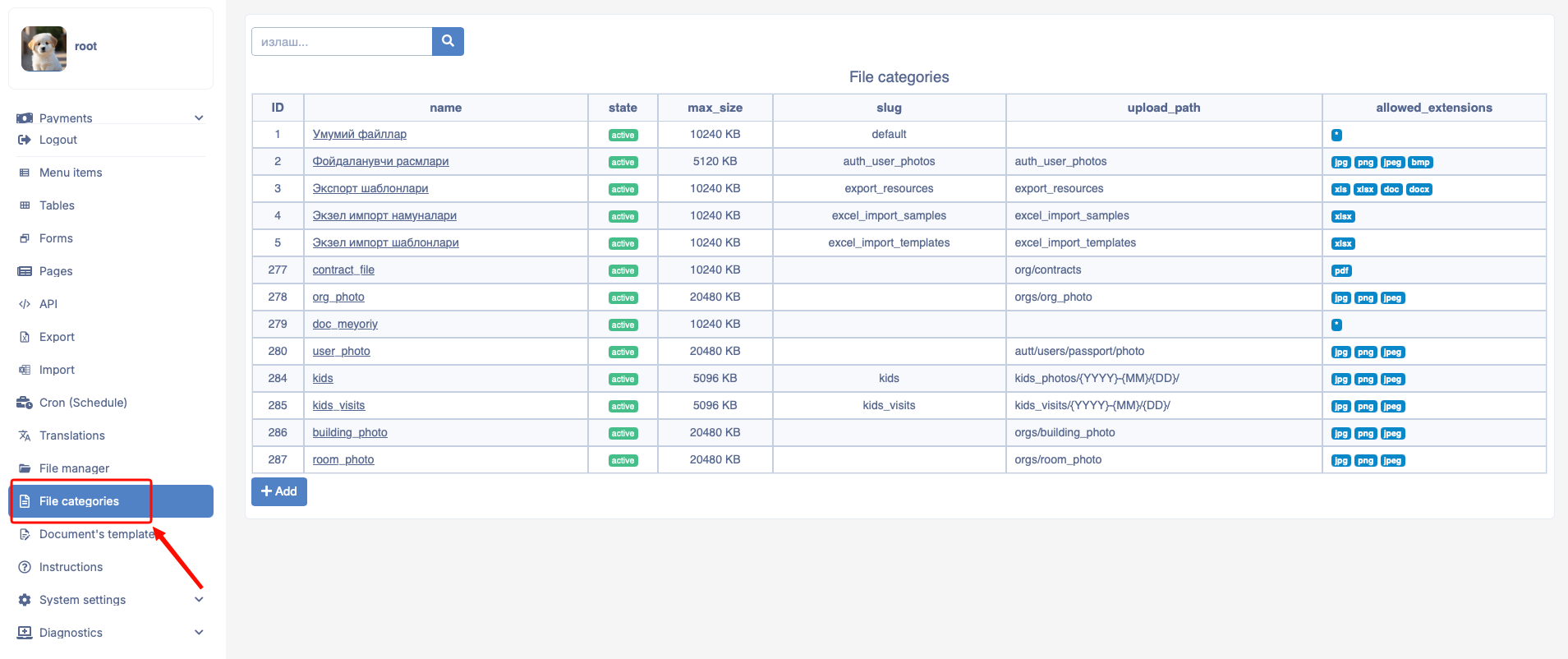
After entering File Categories and pressing the Add button, the following form appears on the screen.
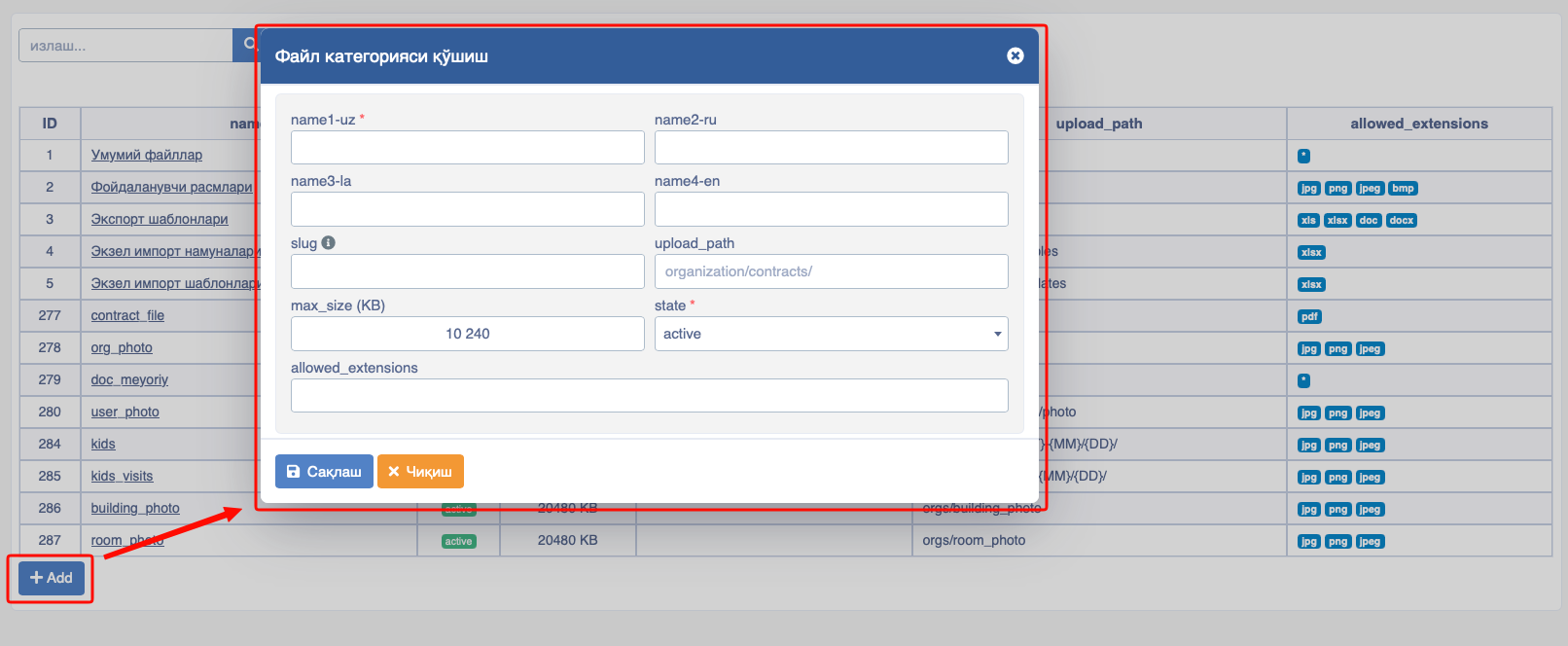
Add File Category consists of the following cells:
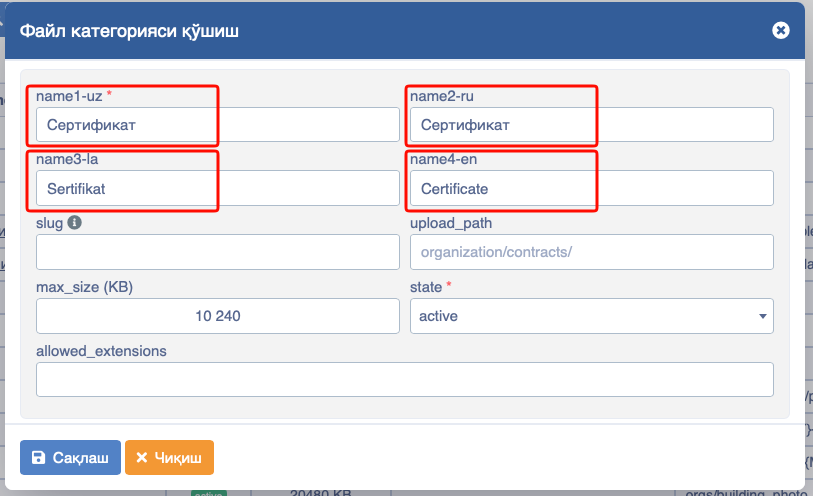
- name1-uz - The function of name1-uz is to display the entered file name in Cyrillic;
- name2-ru - The function of name2-ru is to display the entered file name in Russian;
- name3-la - The function of name3-la is to display the entered file name in Latin;
- name4-en - The function of name4-en is to display the entered file name in English;
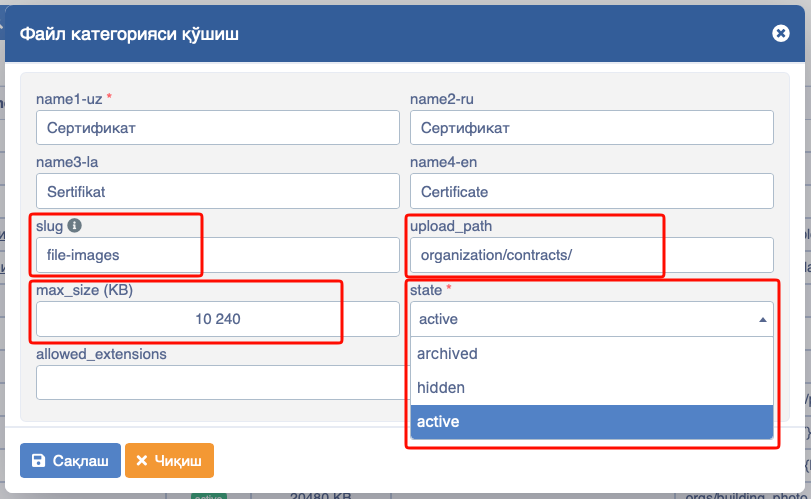
- slug - Used when uploading files from external servers via API;
- upload_path - Function is how to call the uploaded file;
- max_size (KB) - Maximum size of the uploaded file;
- state - This cell is the visibility of the file being uploaded. The following commands can be used in this cell:
- active - Indicates that the category is currently active;
- hidden - Indicates that the category is currently inactive, hidden;
- archived - Used for archiving the category;
- allowed_extensions - Here you select whether the file to be uploaded is jpg, png or pdf, ...:
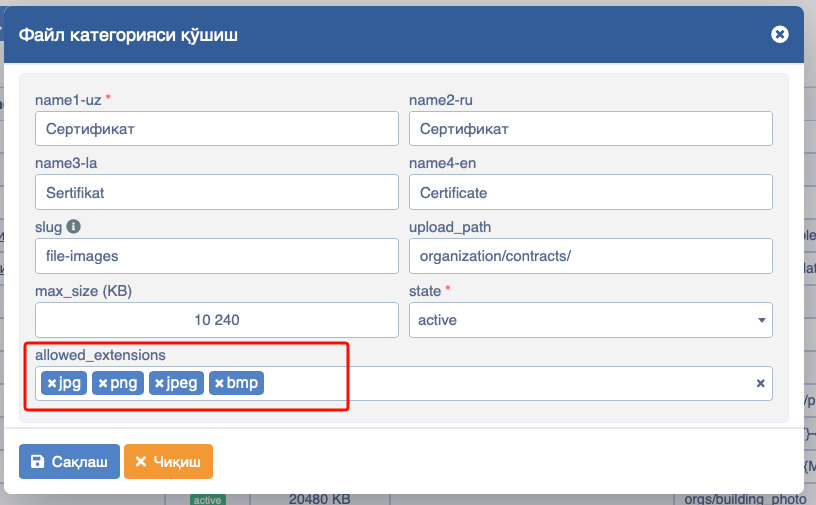
List of allowed file extensions:
text
jpg
png
jpeg
bmp
gif
doc
docx
xls
xlsx
pdf
ppt
pptx
txt
mov
pm4
mpeg4
avi